TikTok Shop’s US Black Friday and Cyber Monday campaign runs November 11–30, 2026, Pacific Time. For sellers, preparation starts with three questions: can the shop participate, which products are ready to sell, and can the team fulfill and support the orders?
A product with stock may still be waiting for campaign approval. A supplier’s delivery promise may still need a warehouse receiving slot. An attractive campaign price may still need a cost check. Put those decisions in one place before scheduling your offers.
This guide walks through eligibility, registration, stock, fulfillment, and aftersales, with a practical checklist for teams preparing in early November.
US market. Rules checked November 2, 2026. Account-specific eligibility, prices, deadlines, and order due dates should be checked in Seller Center.

When is TikTok Shop Black Friday 2026?
The US campaign covers November 11–30. Black Friday falls on Friday, November 27, and Cyber Monday on Monday, November 30.
Keep the campaign dates separate from the dates used for shipping extensions and holiday returns:
Window | What it means for your team |
November 11–30, 2026, PT | The US BFCM campaign period |
Campaign registration deadline | Check the relevant campaign card; registration windows can differ between activities |
November 25–December 1 | A fulfillment-extension window, including December 1 after the campaign ends |
Eligible purchases from November 11 at 16:00 PT to December 31 at 23:59 PT | The purchase window for the holiday return extension |
February 10, 2027 | The extended return-window date for eligible purchases, with category and auction exceptions |
Do not use the return policy’s 16:00 start time as the start time for every BFCM activity. Each window serves a different purpose.
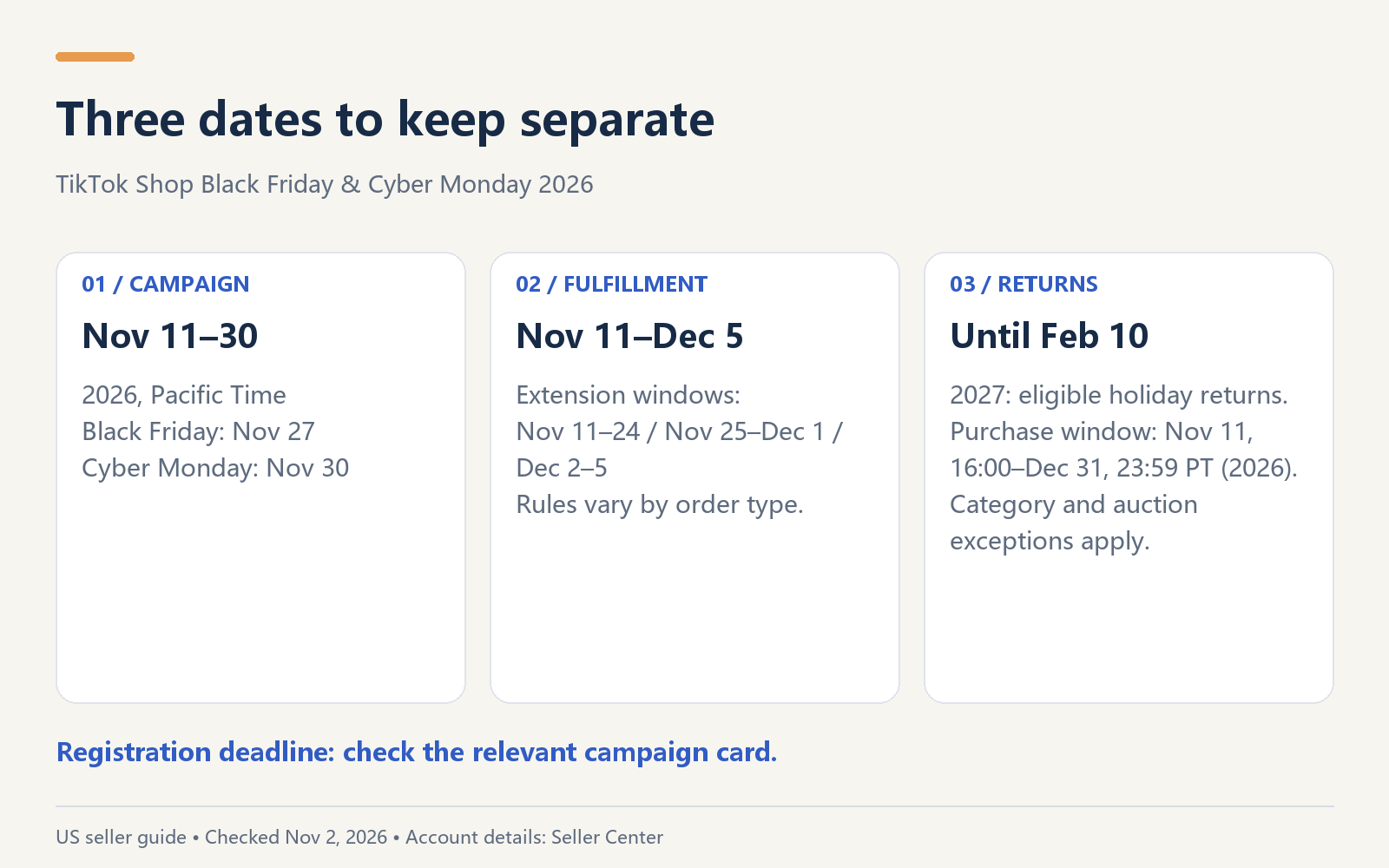
The campaign ends November 30; some fulfillment and aftersales obligations continue afterward.
Check shop eligibility before you plan the offer
Open Seller Center → Marketing → Campaigns, select the relevant Black Friday campaign, and review the shop eligibility information on Campaign Details.
Use these public rules as a starting point:
Check | What to look for |
Shop Performance Score, or SPS | At least 3.5 |
No SPS yet | The alternative rule considers fewer than three serious violations in the last 30 days |
Late Dispatch Rate, or LDR | Review the last 30 days. The guide’s summary says below 20%, while its body says 20% or lower; check the account decision if you are exactly at 20% |
Account Health Rating, or AHR | Ideally above 150. A score at or below 150 may involve restrictions; it is not described as an automatic rejection in every case |
Platform safety and account restrictions | Review Account Health and policy notifications |
Holiday Mode and warehouse availability | The shop must be able to receive and ship orders |
Order Volume Limit, or OVL | Check whether a limit is affecting participation or the order volume you can support |
A score above a threshold answers one question. The campaign card answers whether your shop is currently eligible to join. Keep both pieces of information in your plan, with the date checked.
Product eligibility comes next. Review each listing’s availability, accuracy, category requirements, complaint history, content, and intellectual-property status. Check the applicable complaint-rate requirement for the product category.
For a broader listing and account review, use the TikTok Shop seller policy guide.
How to register products for the BFCM campaign
Once you have checked shop eligibility:
- Open the relevant campaign in Seller Center and read its current terms.
- Choose products in Register Products.
- Check the price threshold and available benefit tiers shown for each product or SKU.
- Confirm inventory, product information, and the commercial terms before submitting.
- Record the resulting product status and check it again before publishing campaign-specific claims.
The Better Price Rewards registration guide describes a unified registration flow: the price and eligibility determine the available tier. If SKUs within the same product qualify for different tiers, the lowest benefit tier applies at product level. Treat the tier shown for your product as the starting point for your offer planning.
Track status per product:
Status | Next action |
Not submitted | Finish the missing inputs and decide whether to submit |
Under review | Watch for a decision or a request to change information |
Approved | Check the accepted terms and intended start |
Scheduled | Prepare for the scheduled start; verify actual activation before calling the offer live |
Rejected | Read the reason and resolve the relevant issue before considering resubmission |
“Live” belongs in your tracker only after you have confirmed actual activation in Seller Center. A submitted application or a scheduled entry should not trigger a public “sale is live” message.
Most applications are reviewed within 5–14 business days, according to the seller guide. This is a reference range, not a promise that an application submitted in early November will be ready for November 11. Work on stock, content, and customer-service preparation while you monitor the review.
Decide which products are ready to promote
A shorter list of well-prepared products is easier to manage than a large list with unclear stock or offers. For every candidate, answer four questions:
- Can we sell it? Check listing status, category access, compliance, and complaints.
- Can we ship it? Confirm sellable inventory, existing commitments, and handling capacity.
- Does the price work? Verify the campaign threshold, benefit terms, and costs.
- Can we describe the offer accurately? Match the video, product page, price, and timing.
Count stock you can actually commit
Start with physical inventory, subtract units already committed elsewhere, then check damaged units, holds, and any additional allocations. Keep inbound purchase orders separate from stock received and ready to ship.
The BFCM registration guide says this registration flow does not support inventory reservation. Your team still needs a way to manage commitments across sales channels.
Check the offer against costs
Collect the selling price, product cost, fulfillment and shipping charges, platform and affiliate fees, advertising allocation, and expected return-related costs. Confirm fee calculation bases and any actual subsidy terms.
Refunds do not automatically reverse shipping or handling expenses already incurred. Count recoverable inventory value once, and separate additional return expenses from costs already included elsewhere.
For example, a hypothetical 10% return rate and $8 of additional reverse-shipping and processing expense per return imply $0.80 of expected additional expense per original order. That is one input, not a complete contribution calculation.
For promotion priority, funding sources, and a fuller cost review, see TikTok Shop promotion stacking.
A three-product example: choose the next action
Consider a US seller shipping locally. The shop has SPS 3.6, a 30-day LDR of 18%, and AHR 180. Holiday Mode is off and the warehouse is available. The team still needs to check the campaign eligibility card, account restrictions, and any OVL.
Here is how the preparation plan could look. These are illustrative products and quantities, not a merchant performance case study.
Product | What the team knows | What happens next |
A: storage box | 500 units physically held; 200 committed to other channels; not registered | Treat 300 as the uncommitted upper limit. Verify actual sellable stock, compliance, campaign price, and costs before deciding to submit |
B: insulated tumbler | No stock received; supplier mentions November 10 delivery; shipping timing unclear | Contact the supplier now and arrange receiving. Keep the inventory block in place until actual receipt, inspection, and fulfillment readiness are confirmed |
C: desktop stand | 120 units available; submitted November 2; Under review; costs and subsidies not yet collected | Monitor review while collecting commercial inputs and preparing product content |
The useful output is a different next action for each product. A needs its offer and allocation checked. B needs receiving certainty. C needs an approval update and cost information.
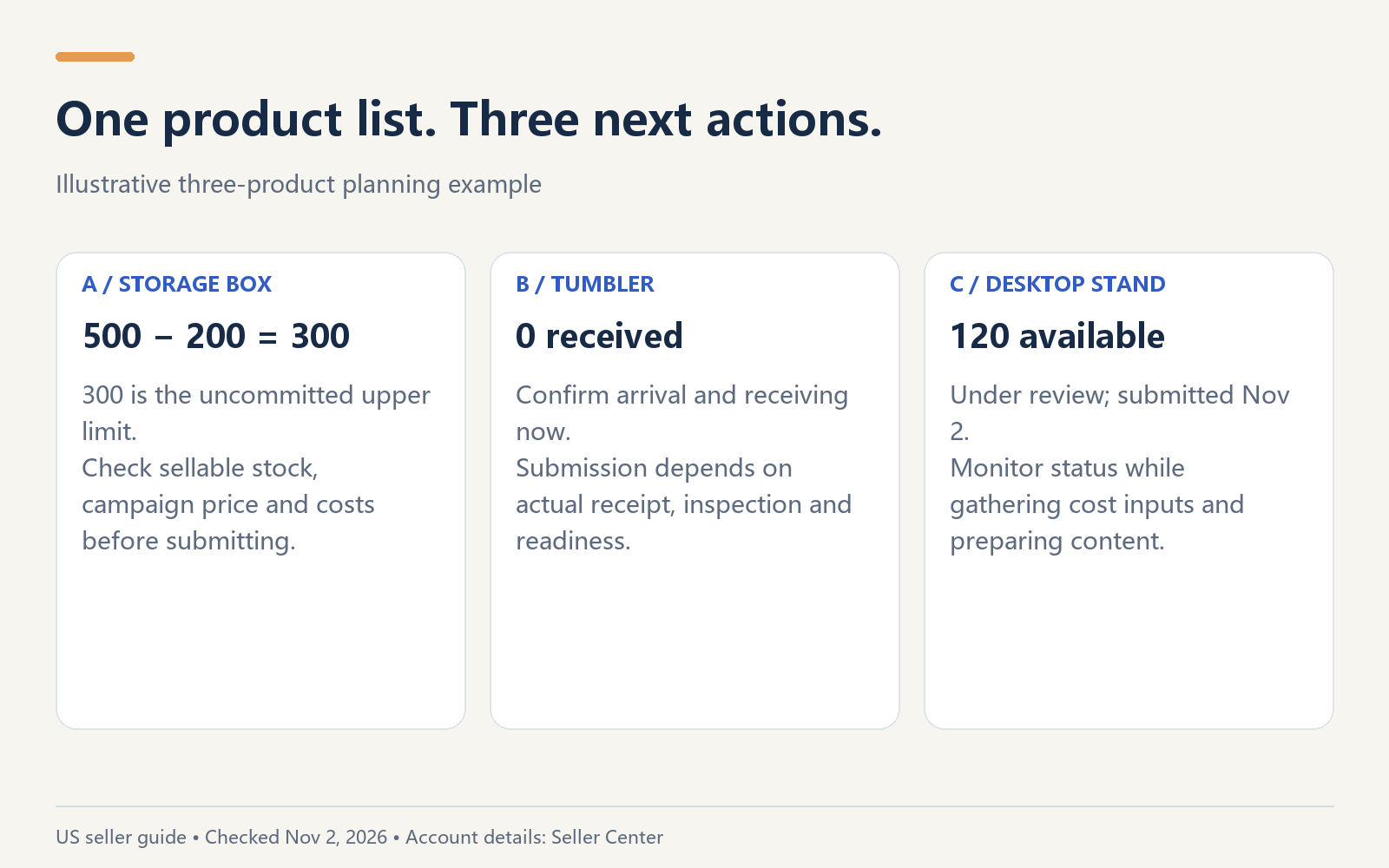
Available stock, incoming stock, and campaign approval answer different planning questions.
If your own product list is spread across spreadsheets and messages, download Navos to organize a BFCM readiness plan. Bring the latest product facts and campaign details into one conversation, then work through the next actions with your team.
Match the shipping plan to the order type
Build your warehouse schedule around actual handling capacity, carrier collection times, and order due dates. The holiday extensions are useful context, but the order’s applicable deadline remains the operational reference.
For standard and auction orders, the seller guide lists the following additions to dispatch, auto-cancellation, and deliver-by SLAs:
Order-received date | Local Shipping | International Shipping |
November 11–24 | +1 business day | +1 calendar day |
November 25–December 1 | +2 business days | +2 calendar days |
December 2–5 | +1 business day | +1 calendar day |
Made-to-order and custom-handling-time orders follow a different table. Dispatch and auto-cancellation extensions are marked N/A. The deliver-by extension is +1 business day across all three windows for Local Shipping; for International Shipping it is +1, +2, and +1 calendar days respectively.
Pre-order and Back Order do not receive these extensions. Check the order type rather than applying a blanket “extra two days” rule to the whole shop.
Before launch, ask the warehouse owner to confirm daily processing capacity, collection cutoffs, inventory updates, and how overdue orders will be escalated. Use your demand forecast to check whether the warehouse can handle the expected peak.
Prepare customer service for the longer return window
The holiday return extension applies to eligible items purchased from November 11, 2026, 16:00 PT through December 31, 2026, 23:59 PT. Eligible purchases can be returned until February 10, 2027. Selected categories, such as some electronics and jewelry, may retain their standard rules; auction orders are excluded.
The longer return window does not extend the seller’s normal response deadlines:
Request | L2L seller review deadline | POP seller review deadline |
Cancellation | 1 calendar day | 1 calendar day |
Refund only | 2 business days | 2 calendar days |
Return and refund: first review | 2 business days | 2 calendar days |
Return and refund: second review | 4 business days | 4 calendar days |
Local shipping alone does not establish whether the seller is L2L or POP. Confirm seller identity separately from shipping route and fulfillment provider.
Prepare customer-service wording for shipping expectations, returns, category exceptions, and the actual offer. Evaluate optional refund or replacement automations against your products and costs. Continue handling open cases after February 10 when their applicable process requires it.
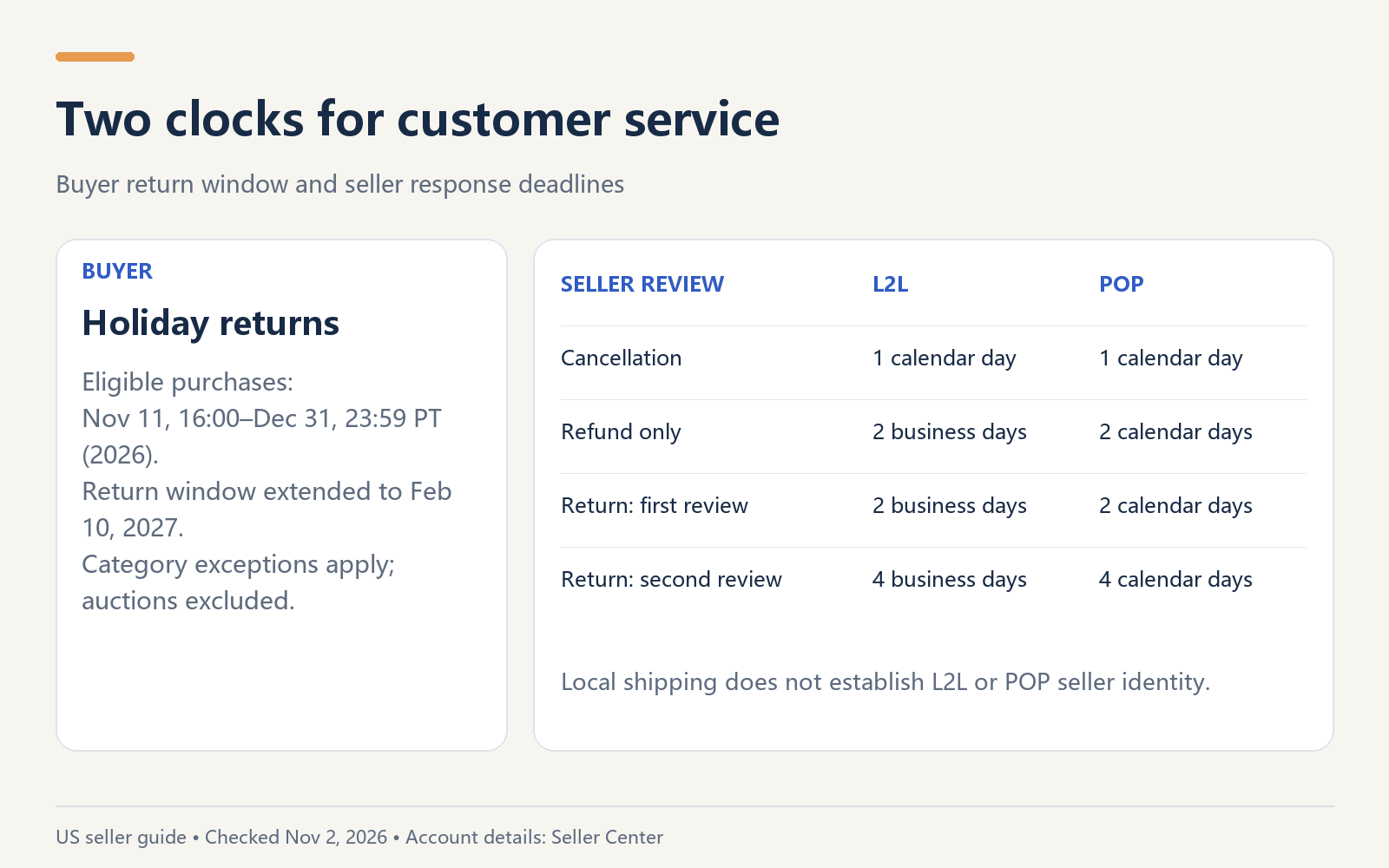
The buyer’s return window and the seller’s response deadline are separate clocks.
Put owners and next checks into the launch checklist
The following is a suggested working schedule for a team starting in early November. These dates are internal planning suggestions, not official registration deadlines.
When | Owner | Deliverable |
First working session | Operations | Campaign eligibility, account restrictions, OVL, and each product’s current status |
Before deciding each offer | Operations + warehouse | Sellable stock after other-channel commitments; product compliance; price and cost inputs |
While applications are reviewed | Content + operations | Product facts, draft creative, and offer wording that can be updated when terms are confirmed |
Before expected orders begin | Warehouse + customer service | Carrier cutoffs, handling capacity, cover schedule, and response templates |
During November 11–30 | Operations + warehouse | Suggested daily check of product status, stock, price changes, and overdue orders |
During the campaign and afterward | Customer service | Review requests within the applicable SLA; continue follow-up on open cases |
For every action, record product/SKU, task, owner, suggested date, official deadline if known, dependency, status, source, and next review. Mark unknown deadlines as “to confirm.” Keep “contact the supplier” actionable even when “submit this product” is blocked by missing stock.
Give the content team the same offer record the operations team uses. A creator brief, product page, and live script should agree on the product, price, timing, and relevant conditions.
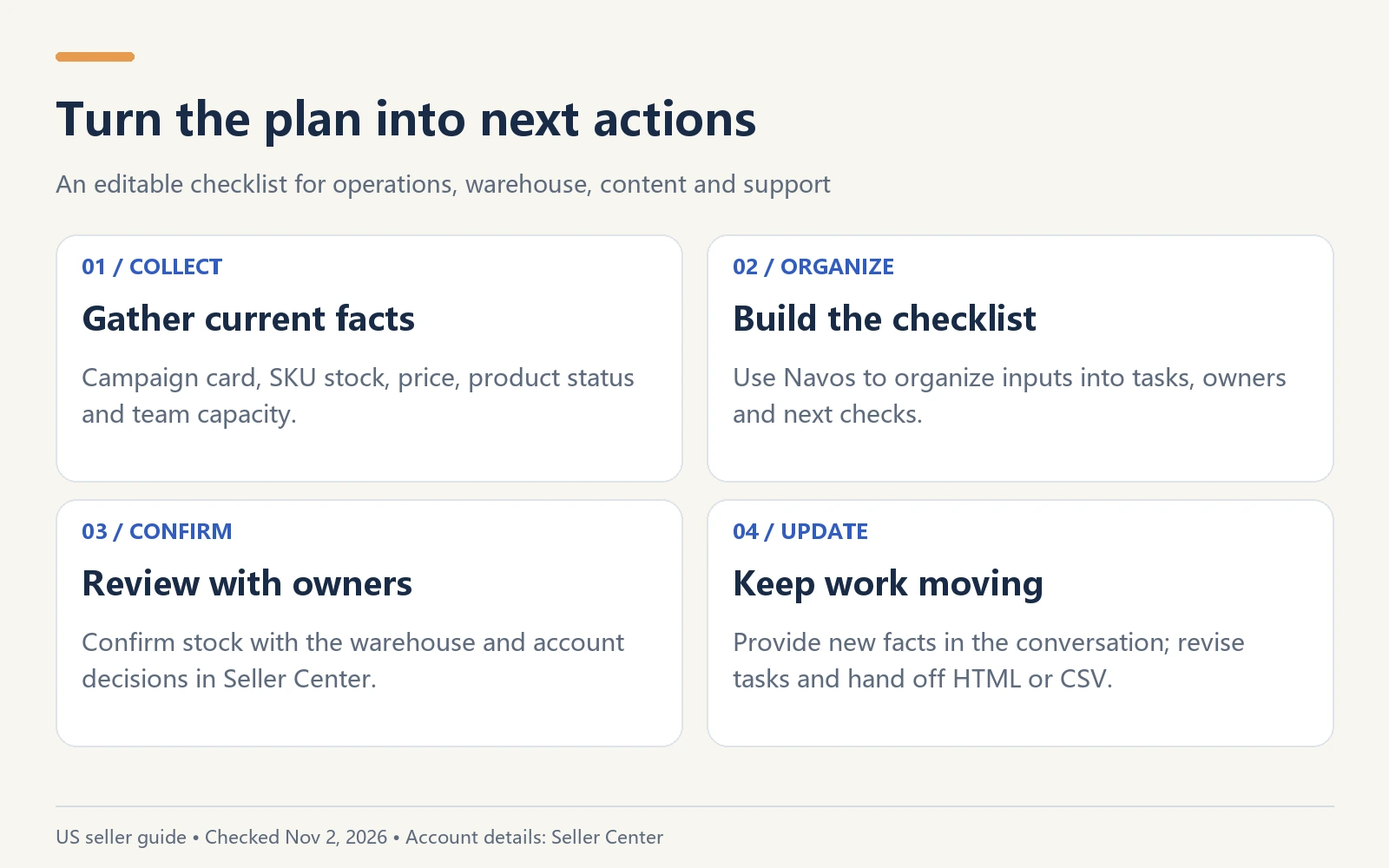
Update the plan when stock, prices, or campaign status change.
Build your working plan with Navos
Use Navos to bring the rules, your product information, and team responsibilities into a working checklist. Start with a practical request:
I’m preparing my TikTok Shop US store for Black Friday 2026. Help me check the current campaign rules and turn my product information into an editable preparation checklist.
Then add your SPS, LDR, AHR, shipping route, SKU list, received stock, other-channel commitments, current campaign status, and any confirmed prices. Leave unavailable inputs blank or label them unknown.
Review the resulting checklist with the people who own the work. When the warehouse confirms a delivery or a product status changes, provide the update and ask Navos to revise the affected actions. Use the editable HTML or CSV as the handoff format; check account decisions and submit registration in Seller Center.
Frequently asked questions
Can a seller without an SPS join?
The official guide provides an alternative for shops without an SPS: fewer than three serious violations in the last 30 days. Check the campaign card for the account’s actual eligibility and review product requirements separately.
Is AHR above 150 a guaranteed approval?
No. The guide describes above 150 as the ideal position. Safety checks, account restrictions, product requirements, and the campaign decision still matter.
Is it too late to register in early November?
Check the registration window in your campaign card. Use the deadline shown for your activity; the 5–14-business-day review reference does not guarantee readiness for November 11. Prioritize products with confirmed stock and complete inputs.
Does Scheduled mean my offer is live?
Treat Scheduled as preparation for a planned start. Verify actual activation and accepted pricing in Seller Center before telling customers the offer is available.
Can I count a supplier’s promised delivery as campaign stock?
Keep it as inbound stock. Receipt, inspection, sellable quantity, and shipping readiness need confirmation before it becomes available inventory in the plan.
Do holiday returns mean I can reply to requests later?
No. The extended buyer return window and seller review SLAs are different. Keep the relevant cancellation, refund, and return-review deadlines in your customer-service queue.
Make the next decision clear
A useful BFCM plan tells each person what to do next: check an eligibility card, confirm stock, review a price, prepare content, or respond to a customer. Keep the plan current and the product promises aligned with what your team can deliver.
Rule references: TikTok Shop US, 2026 Black Friday & Cyber Monday Seller Campaign Guide (October 19, 2026) and Better Price Rewards Registration Guide (October 27, 2026). Checked November 2, 2026.