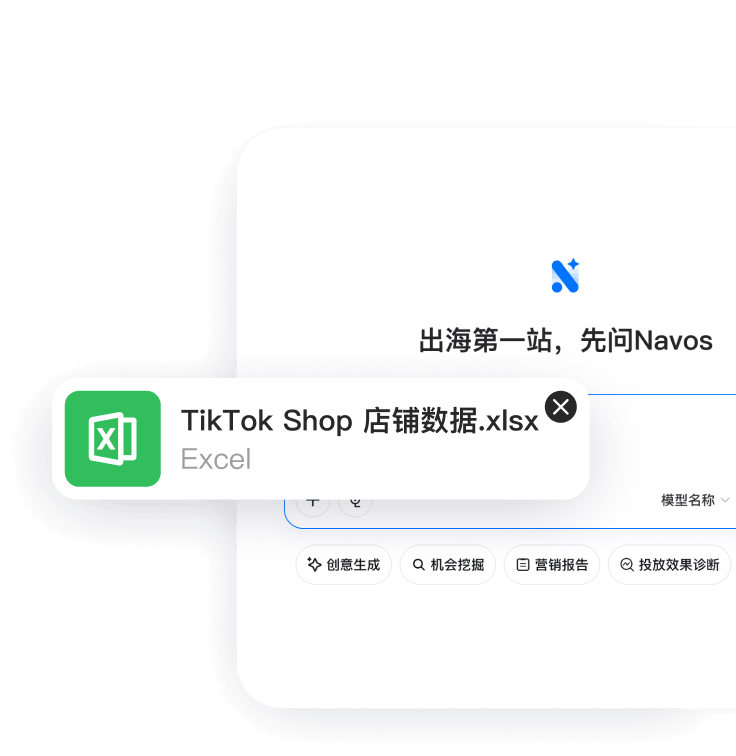
Upload your Excel or CSV file
Sign in to the Navos web app and drop any tabular file into the workspace — a CSV analyzer, Excel reader, and data profiler in one place, no setup.
Navos is an AI data analyst that analyzes your Excel and CSV files on demand. Upload a spreadsheet, ask questions in plain language, and get answers backed by real computation — KPIs, charts, segment breakdowns, and written findings. Data analysis AI that works like an analyst on your team, minus the backlog.
Works with .xlsx and .csv · English & 中文 · Answers in minutes, follow-ups in seconds
Three steps from spreadsheet to answers you can act on.
Sign in to the Navos web app and drop any tabular file into the workspace — a CSV analyzer, Excel reader, and data profiler in one place, no setup.
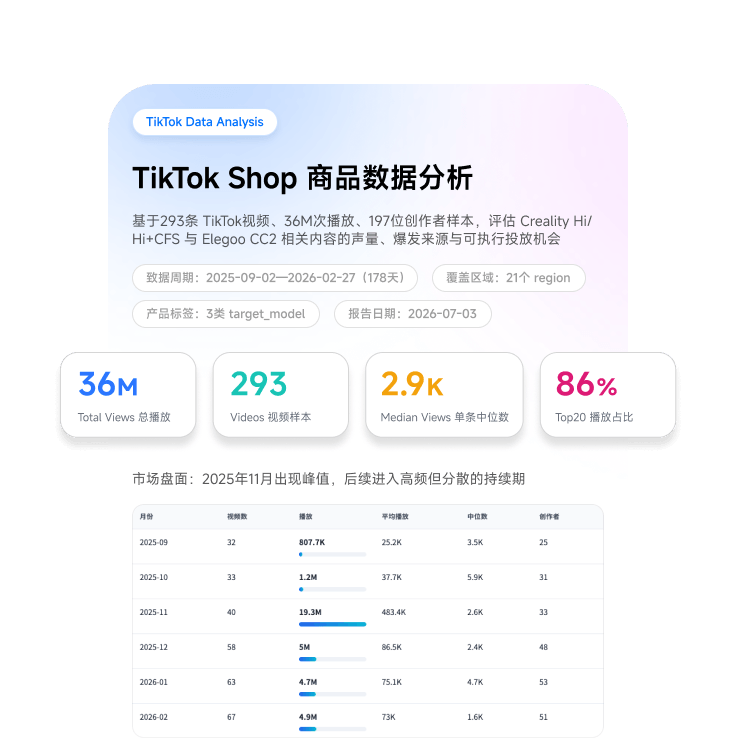
The Data Report Generator skill checks structure, quality, KPIs, trends, and correlations in code, then the AI Data Analyst interprets what matters and why.
Ask follow-ups in plain language — 'compare Q1 vs Q2 by region', 'which SKUs are dragging margin' — and get charts and figures computed from your actual file, not guessed.
A chatbot talks about your data. An analyst computes it, checks it, and tells you what to do.
No SQL, formulas, or chart configuration. Question in, analysis out — with the reasoning written down.
Every figure comes from deterministic profiling of your file. The language model interprets results; it never invents numbers.
Revenue trees, trends, distributions, and segment comparisons derived automatically from your columns.
The first analysis takes minutes; every follow-up question builds on it. Drill from company level to SKU level in one conversation.
Ask and receive analysis in English or Chinese — same file, both audiences.
Hand findings to Navos AI agents in the same workspace — the analyst diagnoses, the agents execute.
If the answer is in your file, the AI will find it, chart it, and explain it.
'Why did revenue dip in May?' 'Which channel grew fastest?' — the AI business analyst decomposes metrics and pinpoints drivers.
Analyze CSV files online without opening a single pivot table — POS exports, CRM dumps, ad platform downloads, ERP extracts.
Compare regions, periods, products, or customer groups — differences quantified, visualized, and ranked by impact.
Quick questions deserve instant data analysis: top movers, outliers, week-over-week changes — answered in seconds after the first pass.
An AI data analyst is software that performs the work of a data analyst — profiling data, computing metrics, building charts, and writing up findings — driven by questions asked in natural language. Navos implements it with a two-stage pipeline: deterministic computation in code first, then AI interpretation and writing.
Yes. Upload any CSV or Excel file and the AI analyzes it end to end: structure and quality checks, KPIs, trends, correlations, and segment comparisons, followed by written findings. You can then chat with the data to go deeper.
After the first analysis, you ask follow-up questions in plain language and get answers computed from your actual file — new charts, new cuts, new comparisons — without re-uploading or reconfiguring anything.
For recurring descriptive and diagnostic work on spreadsheet data — performance reviews, breakdowns, anomaly hunting — it removes most of the manual load. Analysts stay essential for problem framing, domain judgment, and decisions; Navos makes their output faster and their backlog shorter.
Numbers are computed deterministically from your file during profiling — the language model never estimates a statistic. Data quality issues like missing values and outliers are reported up front so you know how much weight each answer can bear.
Navos runs a purpose-built pipeline: programmatic data profiling first, then AI interpretation, delivered as an interactive artifact with consistent structure — plus AI agents in the same workspace that can act on the findings. General chatbots estimate more and structure less.
Excel (.xlsx) and CSV. Export from any tool that produces tabular files — POS systems, e-commerce platforms, ad managers, CRMs, ERPs, or survey tools.
No. Plain-language questions replace queries, formulas, and pivot tables. If you do write SQL, you'll simply get your answers faster here for file-based analysis.
Yes. Navos follows a privacy-first architecture and complies with global privacy standards such as GDPR and CCPA. Your uploaded files are used to generate your own analysis and are not shared with other customers.
Need a polished document instead of a conversation? Get a complete data analysis report in 3–5 minutes.
Run statistical analysis — distributions, correlations, outliers — with every result explained in plain language.
Turn the same file into an interactive KPI dashboard with charts and insights.
Upload an Excel or CSV file and put an AI data analyst to work — analysis in minutes, follow-ups in seconds.