A TikTok ad rejection can leave you staring at a video that looks perfectly ordinary. The product is real, the footage is clear, and the same idea worked in an organic post. What needs to change?
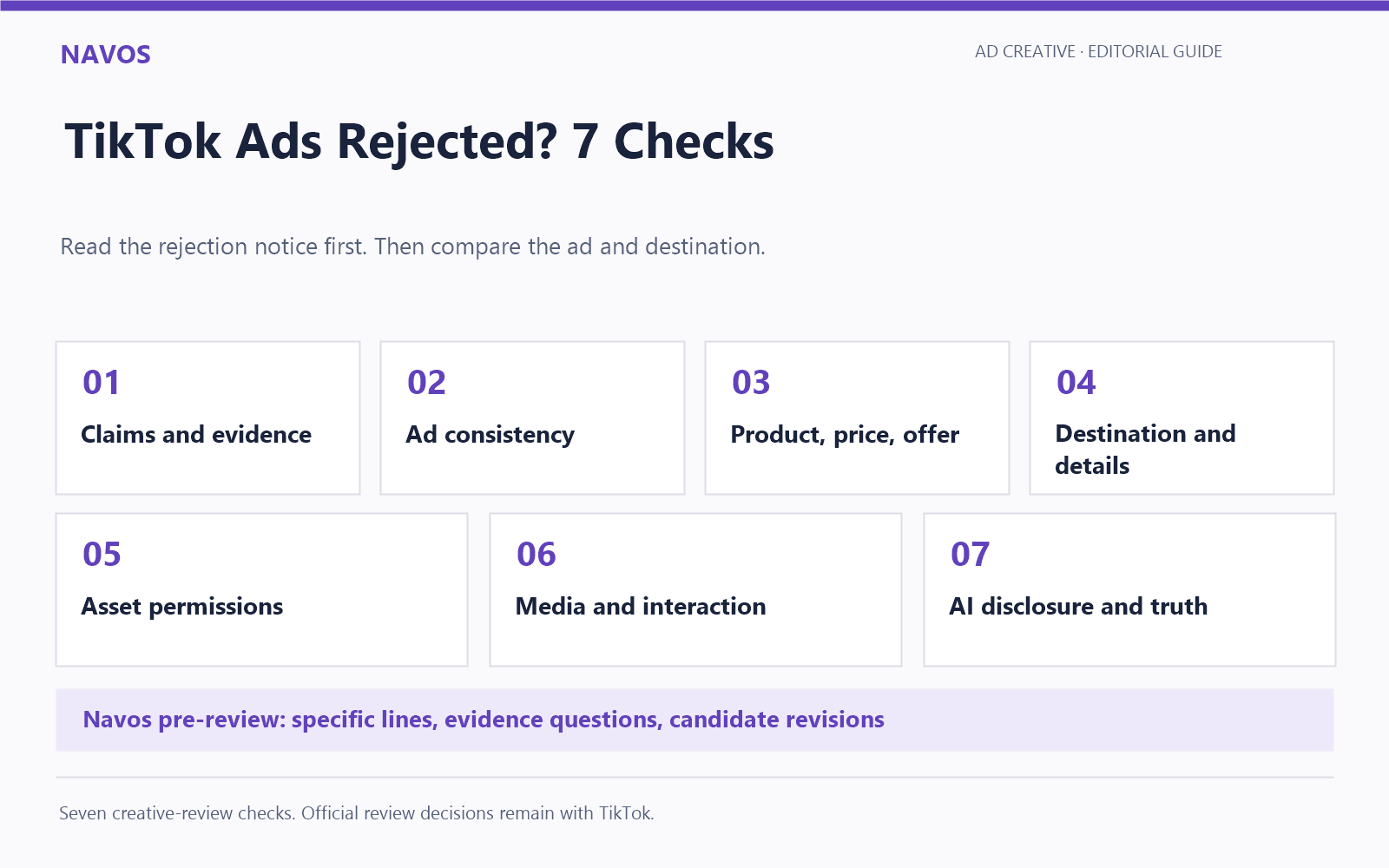
Start with the rejection notice, then compare it with the exact ad and destination you submitted. A voiceover, subtitle, discount banner, or landing-page detail can change what the whole ad promises. The seven checks below help you find that detail and decide whether to revise the creative, gather supporting evidence, or request an official review.
We also reviewed six fictitious tumbler-ad concepts with the Diagnose Creative Tiktok Pre-Review Skill in Navos. The examples show how a specific claim or offer can be corrected without inventing a new product benefit.
Start With the Rejection Reason
Before editing, save the rejection wording and a screenshot. Keep the ad ID, submitted video, caption, CTA, destination URL, and version date together. If several ads look similar, confirm which one the notice concerns.
Check the status details too. An ad still under review is awaiting a decision; a rejected ad has already received one. An account or industry-qualification issue calls for a different response. “Not Delivering” alone does not identify a creative-policy violation.
If your ad is approved but not spending, use our TikTok ads not spending checklist. If the notice concerns a Shop listing or seller violation, our TikTok Shop seller policy guide covers that separate workflow.
These seven checks focus on creative and destination issues. A notice about a restricted product category, targeting restriction, or required qualification should take priority over rewriting the script.
Check 1: Can You Support the Claim?
Circle each sentence that promises a measurable result. Numbers, time periods, and guarantees deserve a closer look than a general product introduction.
In our simulated example, the voiceover said:
“Keep every drink ice-cold for 72 hours—even in the hottest car.”
The supplied landing-page summary described an insulated tumbler. It did not include a retention test, temperature range, or measurement method. The ad added both a duration and an extreme-use condition that the materials did not support.
If you want to keep a performance claim, check the evidence against the exact wording. A test under one set of conditions does not establish the same result in every environment. It also does not settle whether the claim is permitted under the relevant policy.
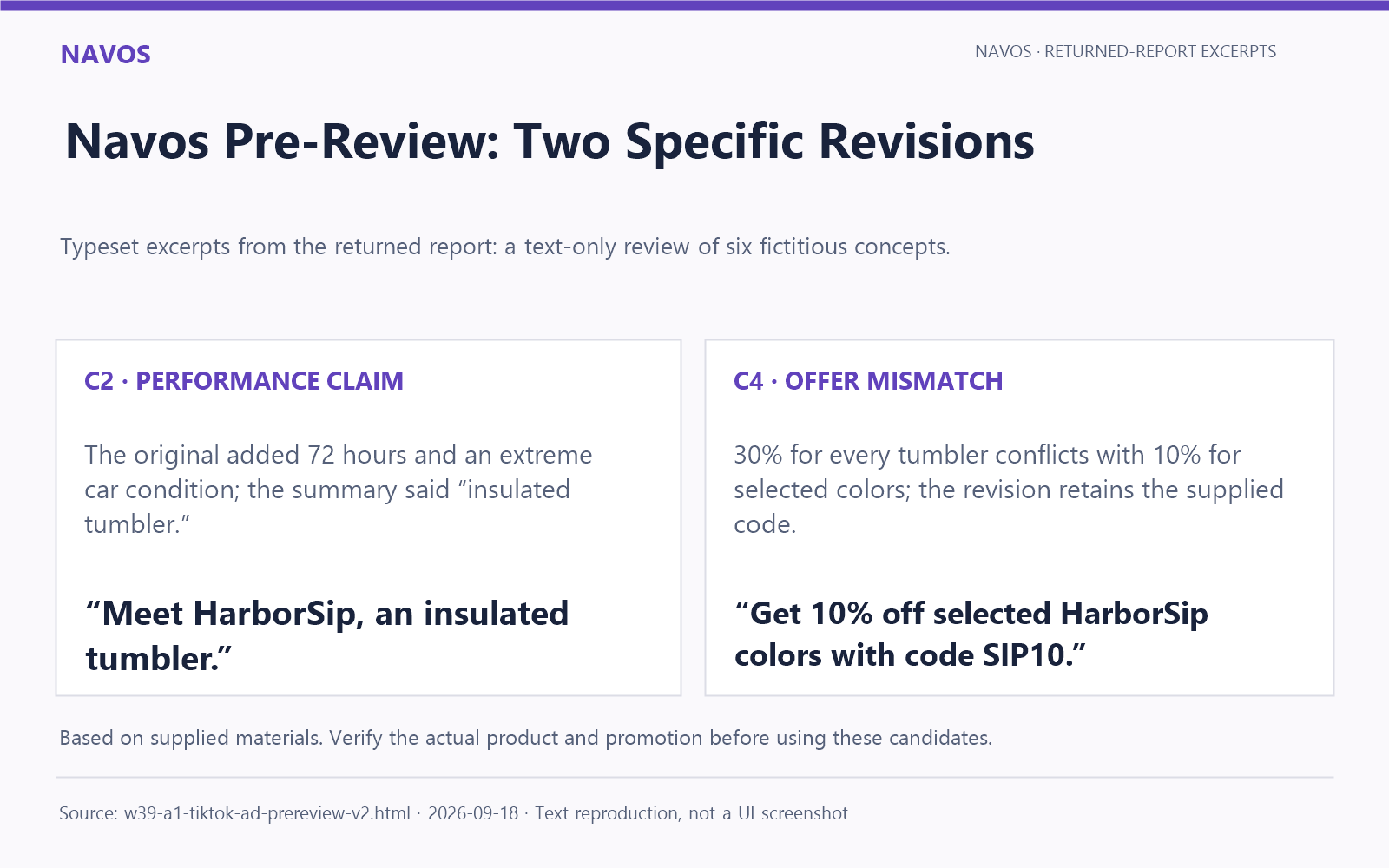
Navos suggested this candidate based on the supplied description:
“Meet HarborSip, an insulated tumbler.”
For a real product, verify that description before using it. Avoid swapping “72 hours” for an equally unverified phrase such as “all-day cooling.” A softer-sounding sentence can still promise a result you have not established.
TikTok identifies exaggerated product effects and misleading performance claims among its common rejection reasons. Review the claim itself, rather than relying on a list of supposedly forbidden words.
Check 2: Does the Ad Tell One Consistent Story?
Play the submitted export and read the caption beside it. Check the voiceover, subtitles, product demonstration, and CTA together. A revised script does not help if the old promise is still in the video.
Another simulated concept described the tumbler as “100% spill-proof,” while its supplied page summary said “spill-resistant lid.” Those phrases set different expectations. Removing “world’s best” from the voiceover would leave that conflict untouched.
The candidate rewrite was:
“HarborSip features a spill-resistant lid.”
Use the verified product description consistently across the ad and page. If there are use conditions, keep them visible and understandable where needed. Do not add a tiny disclaimer to contradict a larger promise.
Record the location of the correction: the spoken line, a subtitle, a caption, or the final frame. That gives the editor something concrete to change and makes the next version easier to check.
Checks 3–4: Match the Offer and Destination
Check 3: Same Product, Price, and Offer
A discount can be wrong even when the product is right. Compare the percentage, eligible variants, code, dates, and market with the offer buyers actually receive.
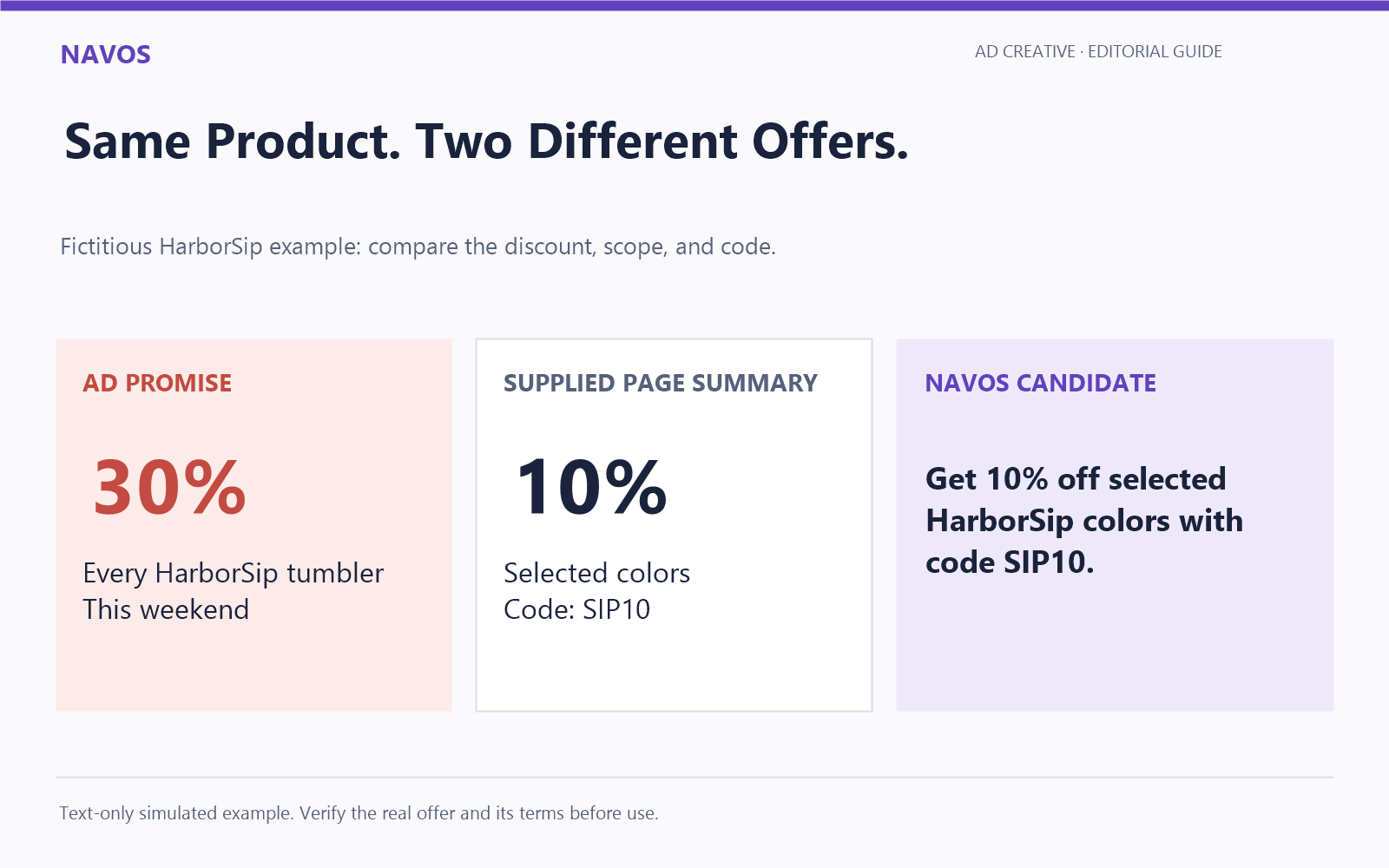
Our offer example contained two different promotions:
Ad copy | Supplied page summary |
“30% off every HarborSip tumbler this weekend” | “10% off selected colors with code SIP10” |
The difference involved the discount and its scope. The ad also introduced weekend timing, while the page summary required a code. TikTok’s common-rejection guidance specifically includes discount mismatches between ads and destinations.
Navos proposed wording that matched the supplied offer:
“Get 10% off selected HarborSip colors with code SIP10.”
For a real campaign, confirm that the offer is active before publishing the revised ad. If 30% is the intended promotion, first verify its terms and eligible products, then align the creative and destination. Do not expand a promotion merely to preserve an existing headline.
Check 4: A Working, Informative Destination
Open the submitted URL on a phone and check the full click path. Does it reach the advertised product? Can a visitor read the offer, understand the purchase terms, and find the relevant business and policy information?
Look for broken redirects, expired pages, unfinished content, and layouts that hide important details on mobile. Test the actual destination buyers will reach, including any region or currency selection.
For ecommerce, review contact details, shipping information, return and refund policies, privacy information, and applicable business disclosures. Requirements depend on the ad type and market; a generic checklist is not a substitute for the rules that apply to your business.
A page summary is useful during drafting, but it cannot establish whether the live page works. In our sixth concept, no URL or media file was supplied. Navos treated those missing inputs as questions to resolve, rather than evidence of a broken page or unlicensed music.
Check 5: Can You Show Rights to the Assets?
Check the origin and permitted use of the music, footage, images, logos, and people shown in the ad. Permission for an organic post may differ from permission for paid advertising.
For creator footage, keep the agreement or relevant platform authorization with the creative file. Review its scope, duration, and permitted uses. For music or stock assets, check the license for the intended commercial placement rather than assuming that access to a file includes advertising rights.
TikTok’s ad-review guidance calls for authorized use of third-party elements. If your team has not supplied a license, ask for it before reaching a conclusion. Missing paperwork in a review folder does not, by itself, establish infringement.
This is also worth checking after a last-minute edit. A new soundtrack or inserted clip can change the rights required for an otherwise unchanged ad.
Checks 6–7: Review the Media and AI Presentation
Check 6: Clear Media and Honest Interaction
Review the exported file, not only the editing timeline. Check that text is readable, audio is understandable, and the product demonstration remains clear on a phone. Look for cropped subtitles, spelling errors, and overlays that obscure important information.
Use the current specifications for your actual ad format and placement. Do not apply one aspect ratio or duration rule to every TikTok ad.
Check visual cues too. A decorative play button, close icon, or carousel indicator should not pretend to offer an interaction that does not work. A viewer should understand what tapping the ad will do.
Check 7: AI Disclosure and Truthful Presentation
TikTok permits significantly AI-edited media and AI-generated content subject to its disclosure requirements. Its policy describes an AIGC label or a clear disclosure of your own, such as a caption or watermark. Minor adjustments, including lighting or denoising, are distinguished from substantial changes.
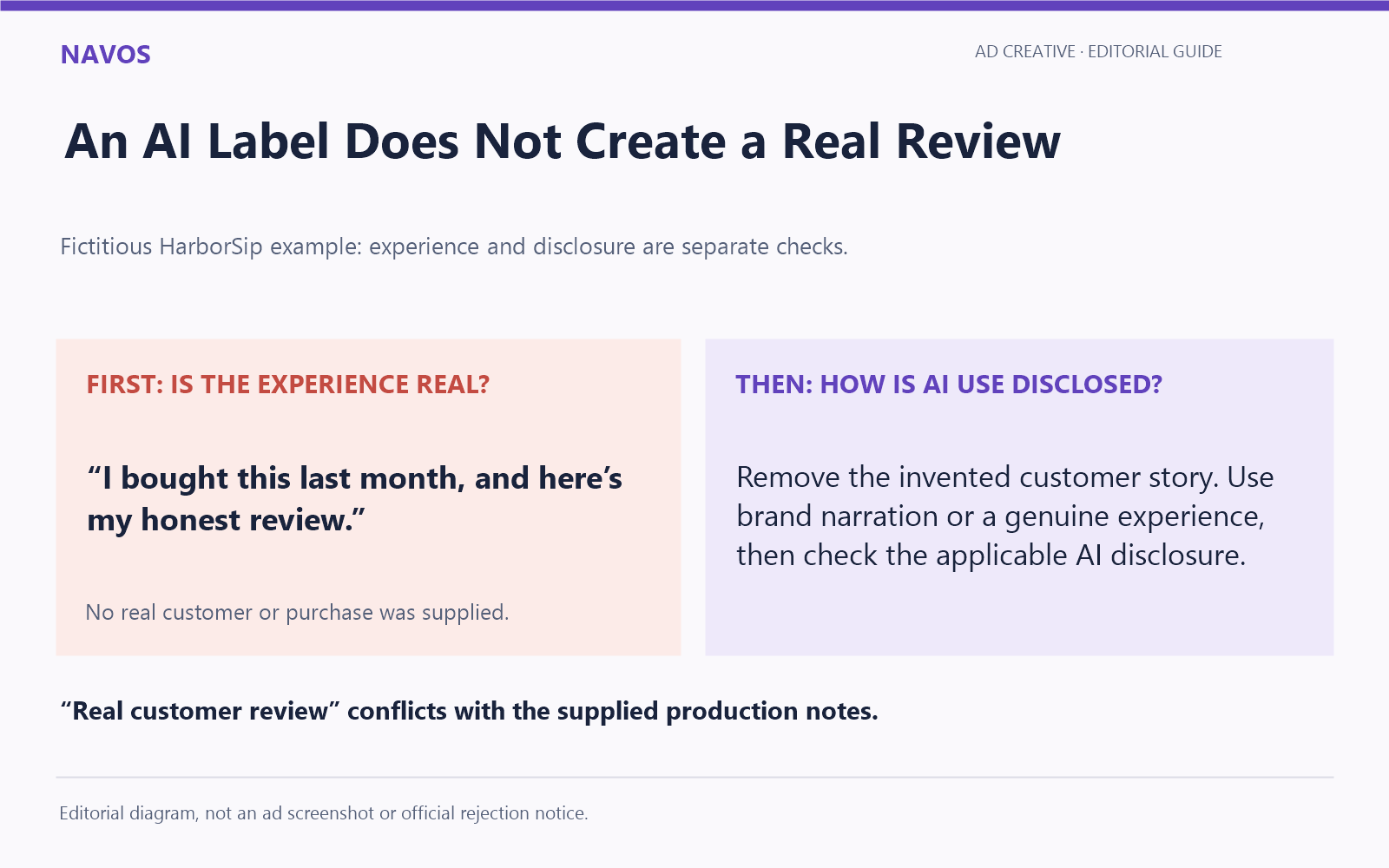
Disclosure and truthful identity are separate checks. In our simulated AI-presenter concept, the speaker said:
“I bought this last month, and here’s my honest review.”
The presenter was fictional and fully AI-generated, with no real purchase or customer experience behind the statement. The supplied on-screen text also read “Real customer review.”
Navos identified the fabricated experience as a problem to remove before addressing disclosure. An AI label would not make the purchase story true. A brand-led product introduction would avoid inventing a customer; a genuine testimonial would need a real experience and the relevant permission. Then review the AI disclosure required for the finished creative.
Use Navos to Prepare a Clearer Revision
A useful pre-review tells your team where to look and what to change. “Check compliance” is too vague to hand to an editor. “The script says 30% off every tumbler; the supplied offer is 10% off selected colors with SIP10” gives them a specific task.
We tested that kind of review with six fictitious HarborSip tumbler concepts in Navos Desktop. We supplied voiceover scripts, on-screen text, CTAs, and landing-page summaries for a text-only simulated review. This was an editorial demonstration, not a submission to TikTok or a test of approval outcomes.
The Diagnose Creative Tiktok Pre-Review Skill returned case-by-case observations, missing-evidence questions, and candidate revisions. Two outputs were especially useful: it removed the unsupported 72-hour promise without adding another duration claim, and it matched the offer rewrite to the stated 10% discount, selected colors, and code.
The minimal sixth concept produced a different kind of next step: gather the actual destination, video, and applicable rights information. That distinction helps a team avoid editing a line that has no identified text problem while overlooking materials still needed for review.
To prepare your own review, keep the current script and page information together. Include the rejection wording if you have it, the exact offer, and supporting material for any claim you want to retain. Ask Navos to identify the relevant line, explain the mismatch or evidence question, and suggest a revision based only on the product facts you provide.
In Navos Desktop, find Square → Compliance Check → Diagnose Creative Tiktok Pre-Review. Use the output to brief your editor and confirm the final creative against the applicable TikTok policies. TikTok makes the official review decision.
Frequently Asked Questions
Where Can I Find the Rejection Reason?
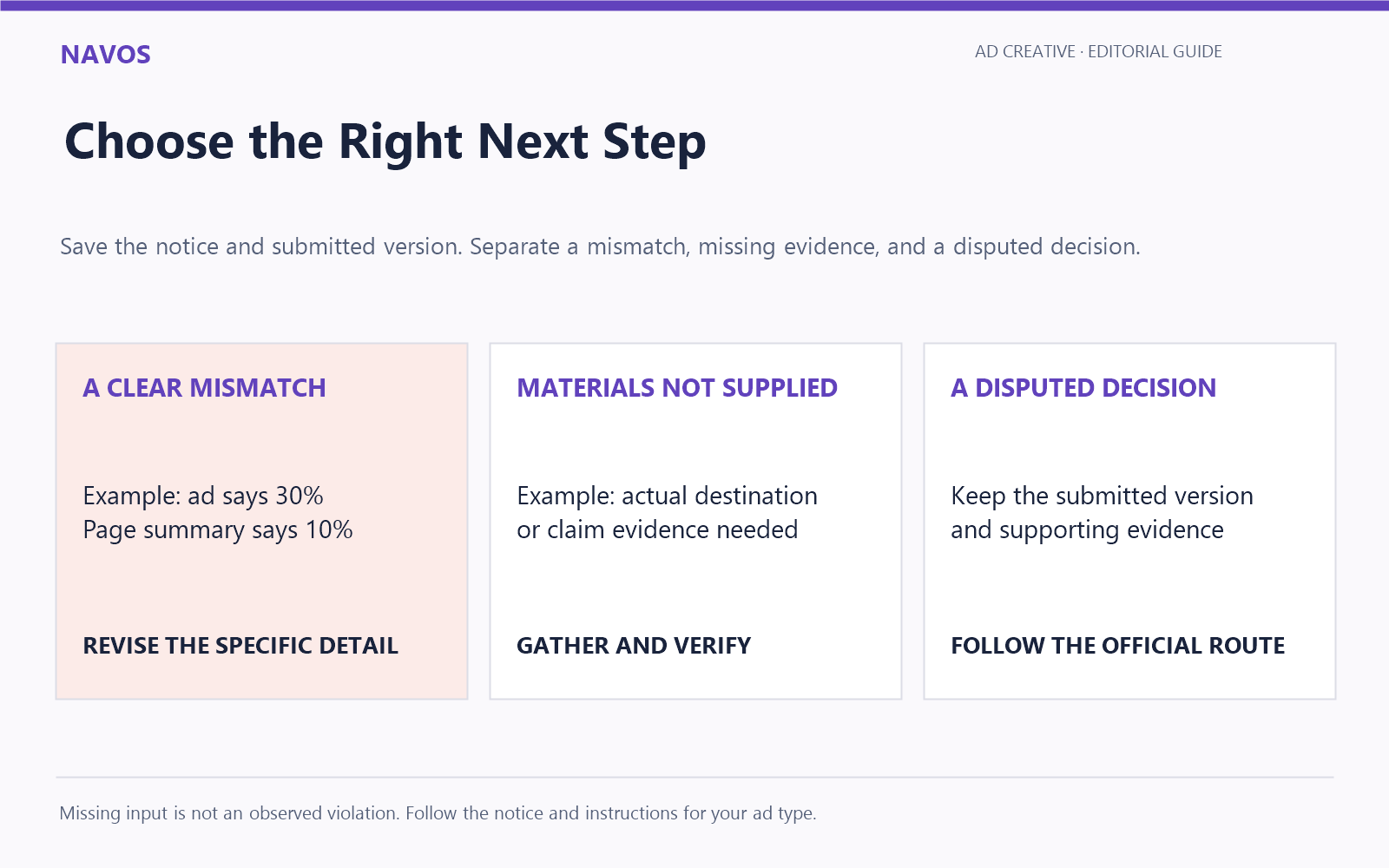
Check the rejection prompt or status details for the relevant ad or ad group in TikTok Ads Manager. Save the wording with the submitted creative. The notice, rather than a guessed cause, should guide your first check.
Can a Landing Page Cause an Ad Rejection?
Yes. A nonfunctional destination or a mismatch between the ad and page can be relevant to review. Inspect the actual submitted URL and the issue named in the notice, even if the video itself appears straightforward.
Should I Edit the Ad or Appeal?
Correct a clear mismatch or unsupported statement. If you believe the decision is mistaken and have evidence supporting the submitted ad, follow the official appeal or support route available for that ad type. Save the relevant version first, and follow any instructions about editing while an appeal is pending.
How Long Does Another Review Take?
TikTok says most ads are reviewed within 24 hours, but some take longer. That is a review-time guideline, not a promise of approval. Creative edits can trigger another review; monitor the status and use the available support route if you need help with the specific case.