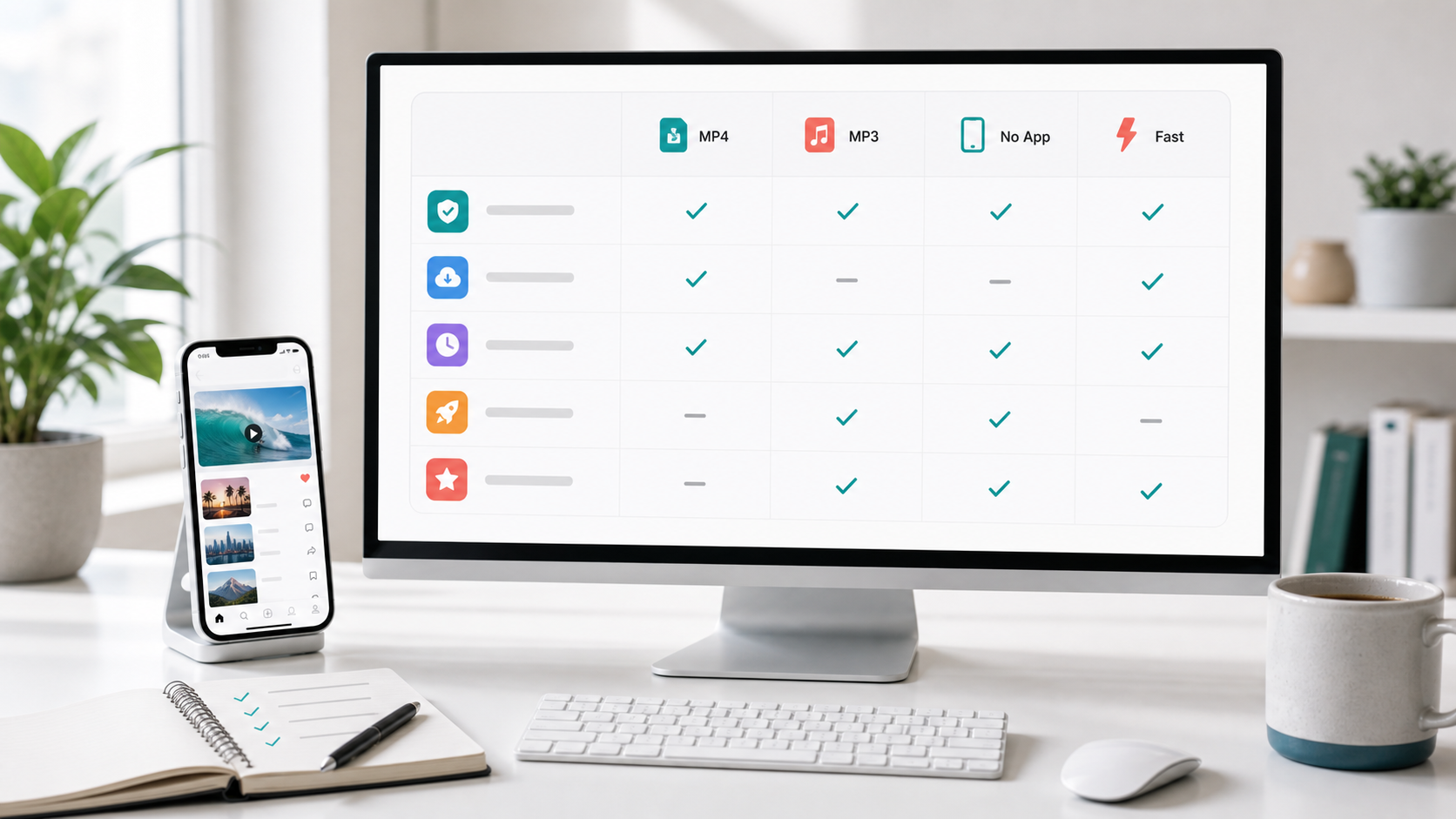
Finding a TikTok video downloader is easy. Many browser-based tools can turn a public TikTok link into a downloadable file.
Finding a good TikTok video downloader takes more care.
The real differences are processing speed, video quality, watermark handling, MP4 and MP3 support, ads, device compatibility, and what the tool lets you do after the download. A basic downloader saves a file. A stronger tool helps you turn that file into something useful.
That last point matters for marketers, creators, and ecommerce teams. You may not be downloading a TikTok just to keep it. You may want to study the hook, understand why the creative works, find the creator, extract the audio, or develop a new video inspired by the original.
Navos TikTok Video Downloader is built around that broader workflow. After it processes a TikTok link, you can download the video without a watermark, download the audio, analyze the creative, find creators, or start a remake workflow from the same result page.
Quick answer: what makes a TikTok downloader worth using?
For a one-off personal download, a simple browser tool may be enough. It should accept your link, return a usable MP4, and avoid misleading download buttons.
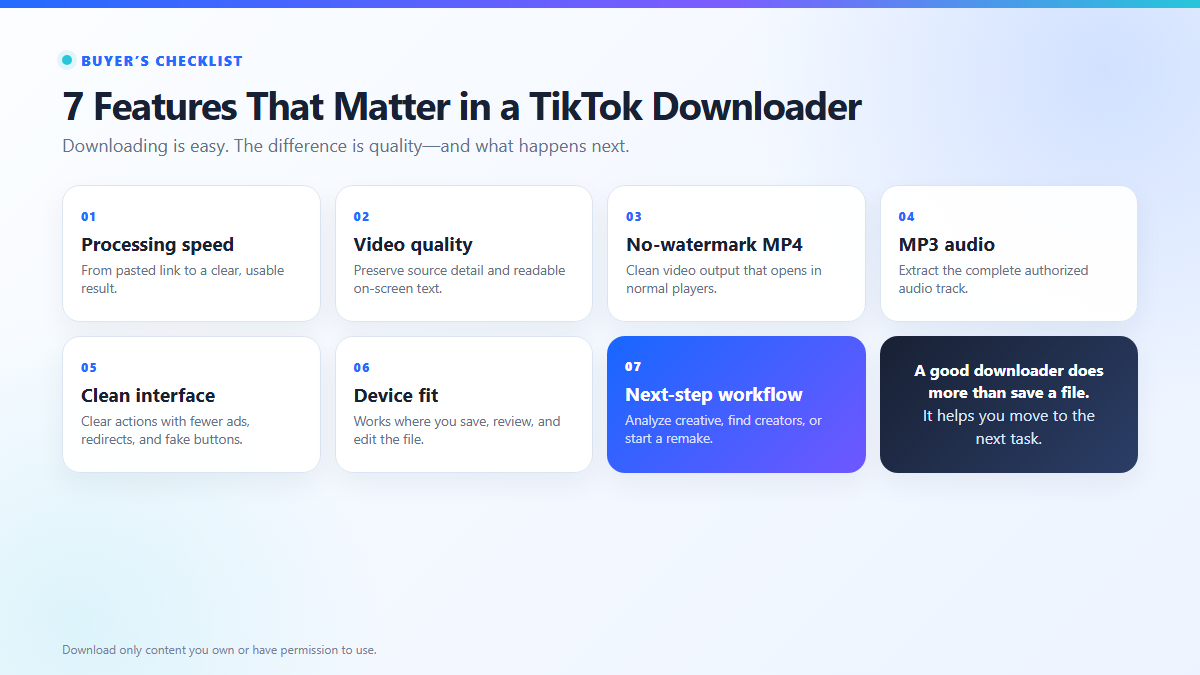
If you download TikTok videos for content research, editing, creator outreach, or marketing work, check seven things:
- How quickly and reliably it processes a link
- Whether it preserves useful video quality
- Whether it offers a clean no-watermark MP4
- Whether it can extract audio as MP3
- How much friction comes from ads, redirects, apps, or login steps
- Whether the output works on your device and in your editing tools
- What you can do after the download
The seventh point is where Navos is most different. Instead of ending the workflow at “Save file,” it can move the same TikTok into creative analysis, creator discovery, or a remake process.
7 things to check before choosing a TikTok video downloader
1. Processing speed and link success
Most downloaders look fast on a landing page. The useful question is how they handle the links you actually copy from TikTok.
TikTok URLs can appear as:
- a full
tiktok.com/@user/video/...link;
- a link copied from the mobile Share menu;
- a shortened
vm.tiktok.comorvt.tiktok.comlink;
- a full URL with tracking parameters attached.
Test the tool with one or two public videos you own or have permission to download. Time how long it takes from pasting the link to seeing a real video preview or download option. A good tool should make the next step clear instead of leaving you with an endless loading state or several ambiguous buttons.
2. Video quality that matches the source
“HD” and “1080p” labels do not always mean the saved file contains that resolution. The final quality also depends on the version TikTok makes available from the source post.
After downloading a test video, inspect:
- image sharpness and visible compression;
- whether captions and small on-screen text remain readable;
- audio and video synchronization;
- file resolution and size;
- whether the file opens normally in your editor or media player.
The best TikTok video downloader should preserve the most useful version available from the source. It should not promise artificial 4K quality for a video that was never uploaded or served at that resolution.
3. A clean MP4 without an added watermark
If you need a visual reference, a presentation asset, or an authorized editing source, look for a clearly labeled Download Video (No Watermark) option.
Check the downloaded file rather than trusting the button label. A usable result should:
- save as a normal MP4;
- open without renaming or conversion;
- avoid an added downloader logo;
- preserve readable captions and visual details;
- contain the full authorized clip.
Remember that removing a platform watermark does not transfer ownership. Download and reuse only content you own, control, or have permission to use.
4. Audio extraction when you need more than video
Sometimes the sound is the useful part of a TikTok. You may need it for authorized transcription, reference, editing, or creative analysis.
A downloader with an MP3 option saves you from converting the video in a second tool. Check that:
- the audio file contains the complete track;
- speech and music remain clear;
- the file has a normal audio format and extension;
- the output matches your permitted use.
If audio is your main goal, see the dedicated TikTok MP3 downloader guide.
5. A clean interface without misleading clicks
Many free TikTok downloaders rely on advertising. The problem is not the existence of ads; it is an interface that makes an ad look like the real download button.
Be cautious when a page:
- opens several tabs after one click;
- shows multiple identical Download buttons;
- asks you to install an unrelated extension;
- requests notification permissions before showing the result;
- downloads a file that is not the MP4 or MP3 you selected.
Navos presents the video preview, no-watermark video download, and audio download as clearly labeled actions on one result page. For a deeper checklist focused specifically on ads and redirects, read the ad-free TikTok downloader guide.
6. Device and workflow compatibility
A downloader is only useful if you can find and use the saved file.
- iPhone or iPad: check the browser Downloads area and the Files app.
- Android: check Downloads, Files, or the folder selected by your browser.
- Windows or Mac: confirm the download location, file extension, and editor compatibility.
If you regularly move assets into editing, research, or campaign workflows, test that handoff before downloading a large batch. The TikTok download guide for iPhone, Android, PC, and Mac covers device-specific steps in more detail.
7. What the tool helps you do next
This is the most overlooked selection criterion.
Ask why you want the TikTok in the first place:
Your goal | What you need after pasting the link |
Save a visual reference | A clean, usable MP4 |
Work with the sound | An audio download |
Understand why the video performs | Creative analysis |
Identify or contact relevant talent | Creator discovery |
Develop a new concept from the inspiration | A remake or creative brief |
Most TikTok downloaders solve only the first one or two jobs. You save the file, open another tool, upload it again, explain the context again, and then start the real work.
Navos shortens that path. The same result page that offers video and audio downloads also gives you three next actions: Analyze creative, Find creators, and Remake hit.
TikTok downloader comparison: basic download versus the next workflow
The right choice depends on whether you only need a file or want to act on the content afterward.
Tool | Core output shown | Login observed | What happens after the download | Best fit |
Navos AI | No-watermark video and audio download actions | Yes | Continue to Analyze creative, Find creators, or Remake hit | Marketers, creators, and ecommerce teams turning TikTok inspiration into action |
SSVTikTok | No-watermark MP4 and MP3 options | No | Download-focused workflow | Quick one-off video or audio downloads |
TikMint | Multiple video options and MP3 | No | Download-focused workflow | Users who want visible format choices |
TikVault | HD/SD MP4 and MP3 options | No | Download-focused workflow | Basic manual video or audio downloads |
All downloader services can change as TikTok changes its delivery system. Before relying on one for repeated work, test it with your own authorized links, devices, and required output formats.
Why Navos is more than a TikTok downloader
A saved video is often only the input to a larger task.
For a marketer, the next question may be:
- What is the hook in the first three seconds?
- How does the creator structure the problem, demonstration, and call to action?
- Which visual or verbal pattern makes the video memorable?
- Who created it, and are there similar creators for a campaign?
- How could the underlying concept be adapted into a new, original brief?
The Navos TikTok Video Downloader keeps those questions close to the asset.
After you paste a public TikTok link and sign in, the result page can show the video and creator preview alongside five clear actions:
- Download Video (No Watermark) — save the visual reference
- Download Audio — work with the authorized sound or speech
- Analyze creative — examine the video as marketing creative
- Find creators — move from one video to talent discovery
- Remake hit — turn the inspiration into a new creative direction
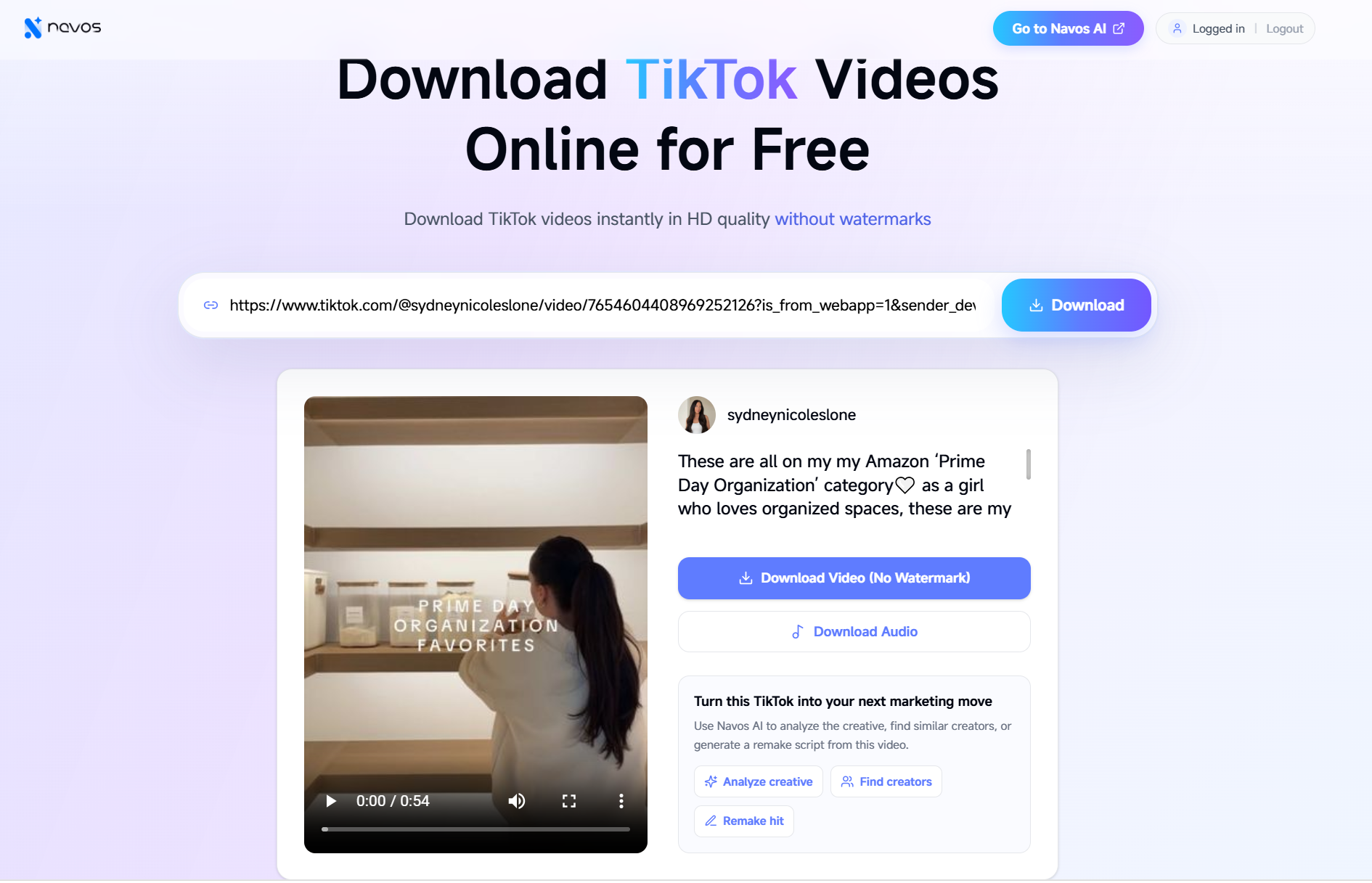
This is the practical difference between a downloader and a content workflow. The downloader answers, “How do I save this?” Navos also helps answer, “Why did I save it, and what should I do next?”
A simple way to choose the right downloader
Use one public TikTok video you own or have permission to download, then compare tools in this order:
- Paste the same full video link into each tool.
- Record the time until a real preview or download action appears.
- Save the MP4 and open it.
- Check image quality, captions, audio synchronization, and watermark handling.
- Download the audio if that is part of your workflow.
- Count unnecessary redirects, unclear buttons, or extra installation steps.
- Decide whether you only need the file or also need analysis, creator discovery, or a new creative brief.
This test is more useful than choosing from a long list of feature claims. It measures the experience that matters for your work.
Which TikTok downloader is best for you?
- For an occasional personal reference: choose a simple browser downloader with a clear MP4 button and minimal friction.
- For audio-only work: prioritize a complete MP3 output and use the dedicated audio workflow.
- For editing: prioritize source quality, readable on-screen text, and normal file compatibility.
- For mobile use: confirm where the browser saves the file and whether it opens correctly.
- For marketing and content research: choose a tool that helps you analyze, organize, or act on the video after downloading it.
Navos is the best fit in this comparison for the last scenario. Its advantage is not that it is the only tool capable of downloading a TikTok. It is that downloading can be the first step in a connected creative workflow instead of the final step.
Try the Navos TikTok Video Downloader
Open the Navos TikTok Video Downloader, sign in, and paste a public TikTok link you are authorized to use.
From the result page, choose the action that matches your real goal: download the video, extract the audio, analyze the creative, find creators, or start a remake workflow.
FAQ
What is the best TikTok video downloader in 2026?
The best TikTok video downloader is the one that reliably processes your links, preserves useful source quality, returns the format you need, avoids misleading download buttons, and fits what you want to do next. For marketing workflows, Navos adds creative analysis, creator discovery, and remake actions after the download.
Can I download a TikTok video without a watermark?
Some browser-based tools provide a no-watermark MP4 option for public TikTok links. Always inspect the saved file and download only content you own or have permission to use.
Can a TikTok downloader extract MP3 audio?
Some downloaders offer audio as a separate option. Check that the saved file contains the complete authorized track and opens as a normal audio file.
Does video quality depend on the original TikTok?
Yes. A downloader can only work with the versions available from the source. A quality label should not be treated as proof of a resolution the original video did not contain.
Do I need to install an app?
Not necessarily. Many TikTok downloaders work in a browser on mobile and desktop. Some may require an account, while others may use ads or redirects to support a free service.
What can Navos do after downloading a TikTok?
In addition to video and audio download actions, the Navos result page can direct you to Analyze creative, Find creators, or Remake hit. This helps move from saving inspiration to using it in a marketing or content workflow.
Can I reuse any TikTok video I download?
No. Downloading a file does not grant reuse rights. Use only content you own, control, or have permission to download and repurpose, and follow TikTok's rules and applicable law.