An Instagram downloader should help you save the right file, not leave you guessing whether you downloaded a Reel, its cover image, or just the first slide of a carousel. For an ecommerce team collecting product demonstrations and creative references, those details matter more than a long list of supported formats.
This guide compares Navos, FastDL, iGram, and SnapInsta across their published workflows, sign-in requirements, and practical limits. Start with Navos Instagram Downloader if you want to preview available files and choose what to save. Navos requires a Google sign-in to Navos before parsing; it does not ask for your Instagram password.
About this comparison: We reviewed current product pages on September 28, 2026, including Navos's live interface. This is a feature and workflow comparison, not a timed download benchmark. Competitor capabilities below are provider descriptions, not independently verified download results.
Compare the four tools at a glance
Tool | What its current website describes | Practical consideration | When to consider it |
Navos | Public-media previews and individual file selection; Google sign-in to Navos | Allow for the sign-in step; select the files you need from a post | Reviewing individual assets before saving them for a creative brief |
FastDL | Browser downloads for videos, photos, Reels, and carousels; no account required according to its page | Its FAQ says multiple videos are handled one at a time | Occasional link-by-link saving |
iGram | A browser-based link workflow covering video, photos, Reels, and carousels; no login required according to its page | Verify that the result includes every item you need | Comparing an account-free web option |
SnapInsta | Public-content downloads without account creation according to its page; the site discloses advertising | Identify the actual media result before downloading | Users comfortable with an advertising-supported interface |
All four present a free download offering on their websites. That does not establish equal availability, speed, or file quality. A tool's ability to process one public Reel also says little about how it will handle a mixed carousel or an active Story.
Choose by the job you need to finish
Navos: preview and select reference assets
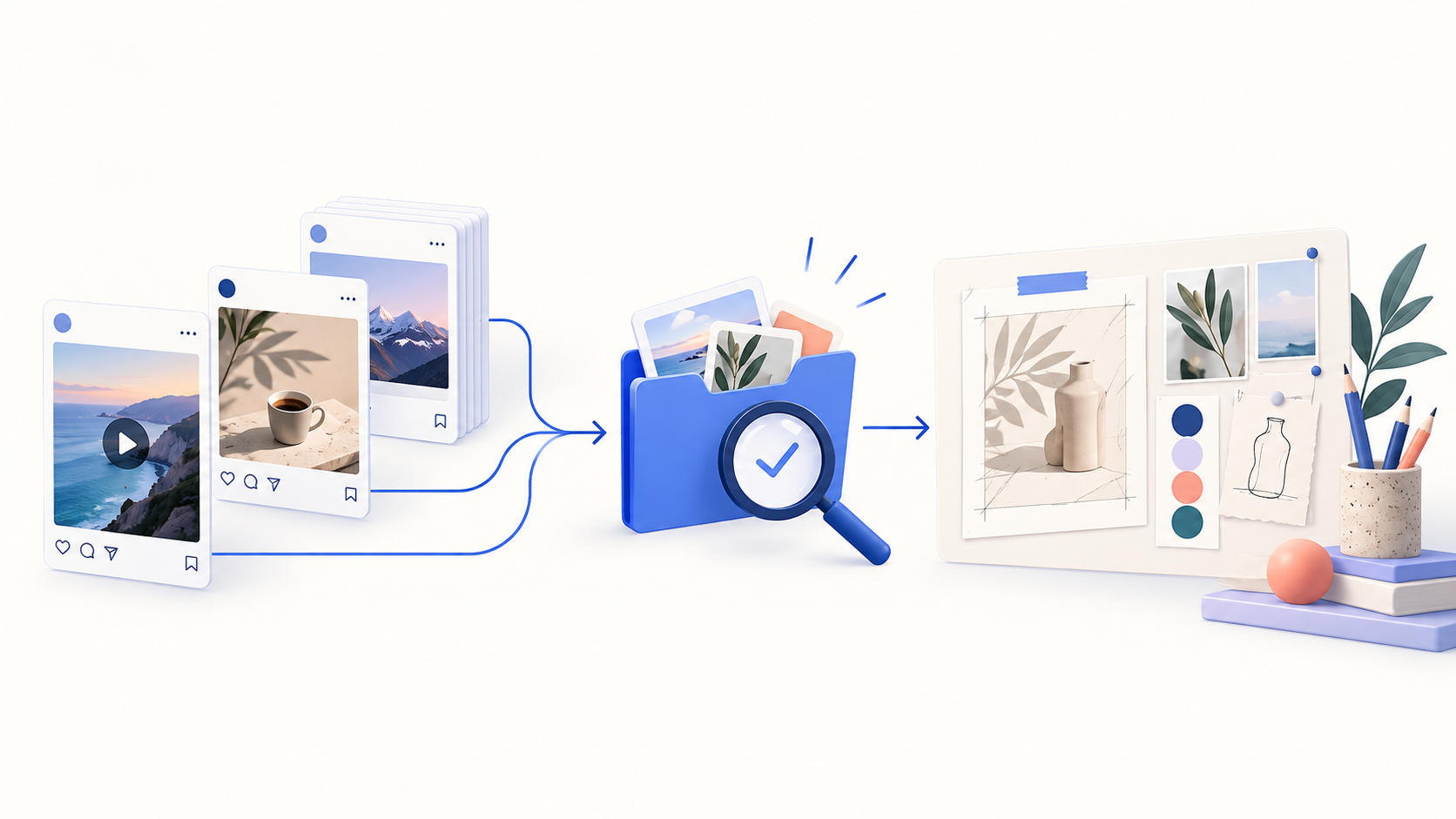
Navos's documented flow puts a preview between submitting a link and saving a file. Its page also links to a separate Navos AI creative workflow. For a marketer, that makes it a candidate for a download-to-brief process: select useful assets, record what they demonstrate, then develop an original idea.
That broader workflow is a reason to consider Navos, rather than evidence that it downloads faster than the other tools. The downloader itself does not establish an asset's commercial rights or predict its advertising performance.
FastDL: work through individual links
FastDL is a straightforward option to shortlist when the task is a small number of posts. Its FAQ distinguishes individual video downloads from processing several videos at once. If you have a list of URLs, plan for separate submissions; support for the files inside a carousel does not by itself establish a multi-link queue.
iGram: compare a no-login workflow
iGram's website explicitly advertises a no-login flow. That may suit an occasional user who wants to avoid creating a downloader account. Test your actual post type before choosing it for a larger task. An account-free entry point does not independently verify a site's privacy, output quality, or reliability.
SnapInsta: account for the advertising model
The SnapInsta site reviewed here describes public-content downloads and discloses advertising. That disclosure helps set expectations, but it is not a measurement of pop-up frequency or download friction. Evaluate the result screen on your device rather than relying on a third-party claim that it is always fast or always cluttered.
Five checks that reveal meaningful differences
1. Separate service sign-in from Instagram access
“No Instagram password” and “no account required” describe different things. Navos documents a Google sign-in to its own service. iGram describes a no-login workflow. Include that distinction in your choice, especially if colleagues will use the tool from a shared operating procedure.
Do not paste account passwords or session cookies into a download brief. The workflow discussed here starts from a public media link.
2. Check the media, not just the thumbnail
A product demonstration can have a cover showing a result that the video never demonstrates. Play the returned video and check its duration. For a photo, open the saved image and inspect its dimensions. A successful preview alone does not confirm that a usable local file was saved.
For a mixed carousel, compare the returned images and videos with the original post. Record missing items. Selecting the first result should not be treated as completing the whole collection.
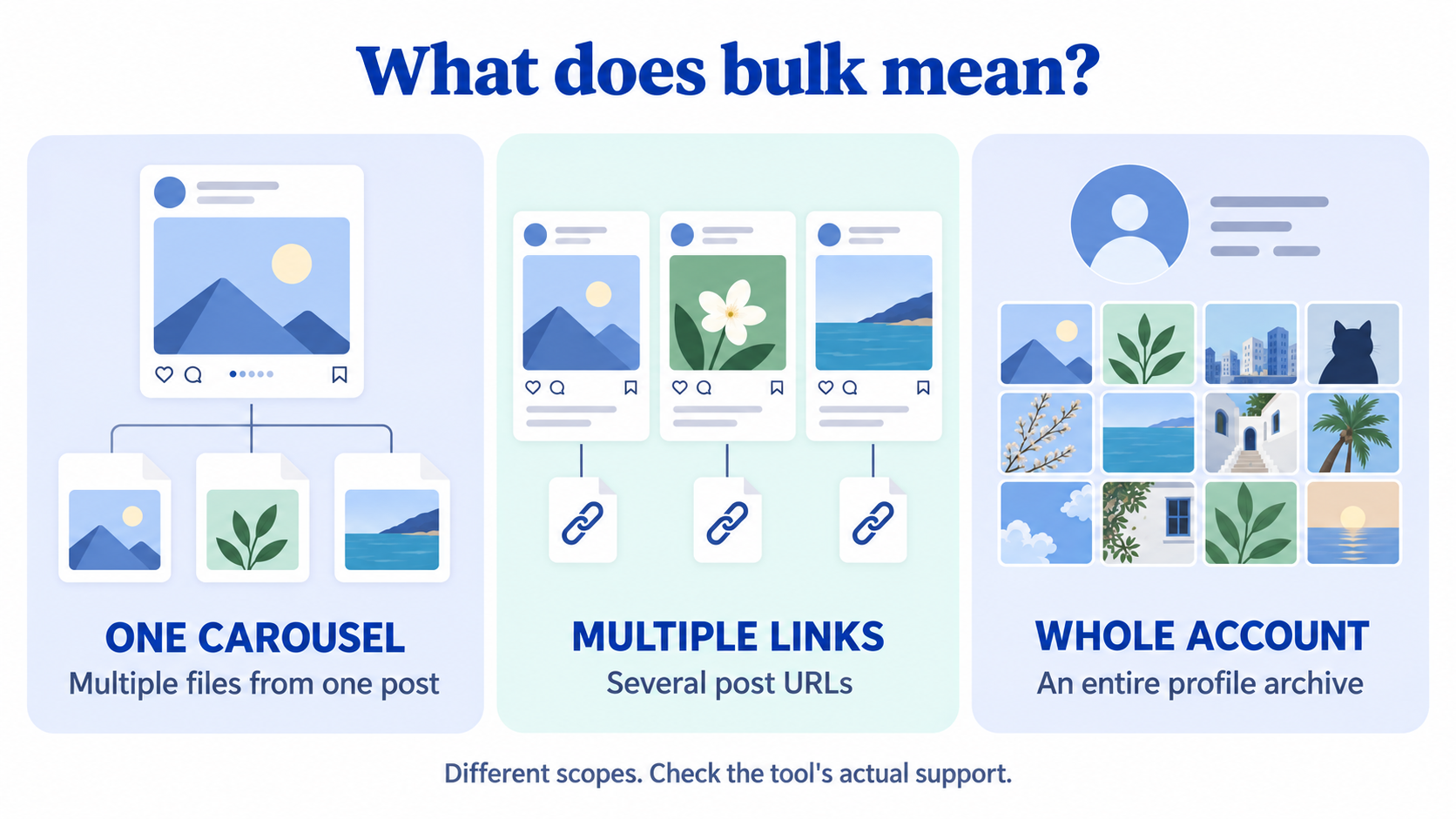
3. Define what “bulk” means
There are three different tasks:
- Saving several media items from one carousel.
- Submitting several post URLs together.
- Archiving all posts from an account.
Ask which task a tool supports. A carousel feature is not proof of profile archiving. For a team handoff, a small, reviewed set of references may be more useful than an unlabelled folder of hundreds of files.
4. Inspect quality, audio, and existing marks separately
Check the saved file's resolution and playback rather than interpreting “HD” or “original quality” as a promise to recover the creator's camera original. A downloadable platform copy may differ from the original upload.
Likewise, “no added watermark” says nothing about a logo already embedded in the source. Record whether a mark was already present, whether the tool added one, and whether the audio you need is actually audible. Keep those as separate checks.
5. Confirm the device handoff
Open the file from your browser's download list. Then confirm where it was saved. On a phone, a browser download may be in a file manager rather than immediately visible in the photo library.
For team use, rename the file and preserve the source URL before moving it into a shared folder. A descriptive filename helps a colleague identify the correct reference without reopening every clip.
How to use Navos Instagram Downloader
The current Navos page documents this sequence:
- Copy the complete public Instagram post or Reel link.
- Open the Instagram downloader, paste the link, and select Download.
- Complete the Google sign-in to Navos when prompted.
- Review the returned media. Select the individual files you want to keep.
- Open each saved file and confirm its content before sharing it with your team.
For a carousel, make an item list before saving. If the original contains a demonstration video and two detail photos, check for all three individually. A cover image is not a substitute for the video.
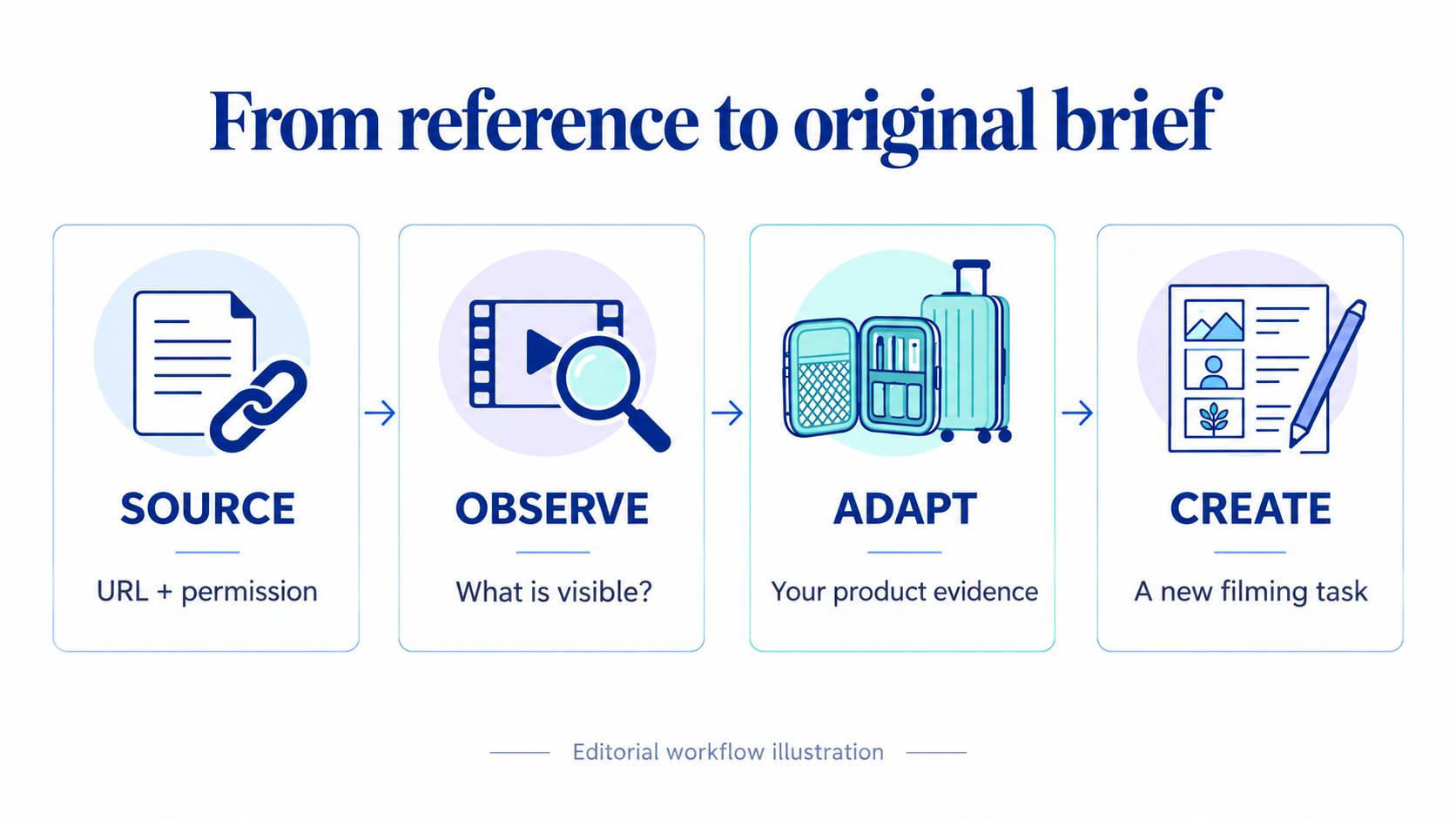
Turn a saved post into an ecommerce creative reference
Downloading becomes useful when someone can explain why the asset belongs in the brief. Keep a small record beside each file:
Field | What to record |
Source | Post URL, creator, and date reviewed |
Permission | Owner or permission record, intended use, and any restrictions |
Asset | Filename, media type, duration or dimensions |
Observable detail | What actually appears or is said, with a timestamp when relevant |
Product relevance | Which question about your product this helps investigate |
New creative idea | What your team will shoot or explain using its own product and evidence |
Open question | What the clip cannot establish |
For example, imagine a hypothetical travel-organizer Reel that opens with an untidy suitcase, shows the organizer being packed, and ends with a closed case. The useful observation is the sequence of the demonstration. It does not establish that the same approach will improve conversion, fit every suitcase, or prove your own product's capacity.
A resulting brief could read: “Film our organizer in the suitcase size specified on our product page. Show the packing steps without hidden cuts. Include the dimensions and the items used in the demonstration.” This preserves the lesson in the reference while giving your team an original, verifiable task.
Navos's page offers a route into AI-assisted creative work after downloading. Treat the reference record as an input to that next stage. Review any proposed script against your actual product information before filming.
If an Instagram download does not work
Diagnose the stage that failed before trying several tools with the same unresolved input.
Symptom | First check | Next step |
No media result | Does the complete original link still open, and is the content public? | Recopy the source link; use content you own or have permission to use |
Navos requests sign-in | Are you signed in to the downloader service? | Follow the Navos sign-in flow; an Instagram password is not the requested input |
Preview works, saved link fails | Is the result old, or did the browser block the save? | Submit the original link again and inspect the new result and browser prompt |
Only some carousel items appear | Does the result offer more items? | Expand the available results and reconcile them with your item list |
File saved but absent from gallery | Where did the browser put it? | Open the browser's download list or device file manager |
If the content is private, deleted, or unavailable, ask its owner for an original file or an approved sharing route. A different downloader is not a substitute for access permission.
Frequently asked questions
Which Instagram downloader should I choose?
Choose by the task and the steps you will accept. Navos is worth considering for previewing selected reference assets and continuing into a creative workflow. iGram advertises an account-free option; FastDL documents link-by-link handling; SnapInsta discloses an advertising-supported service. Use your own permitted sample to compare actual output.
Can I download Instagram content without logging in?
Some providers advertise that option. Distinguish a downloader account from an Instagram account: Navos requires Google sign-in to Navos, while its workflow does not require your Instagram password or session cookie.
Will an Instagram downloader give me 4K video without a watermark?
Check the actual file. A download cannot be assumed to contain detail absent from the available source. Existing logos, tool-added marks, resolution, and audible sound are separate characteristics to inspect.
Does downloading a carousel save every slide?
Not necessarily. Check the returned items and how the save controls work. Saving one item, saving a whole carousel, and downloading an entire profile are different operations.
Can I use the downloaded file in an advertisement?
Do not treat a download button as permission to reuse footage, music, or a creator's likeness. Obtain the permissions needed for the intended use, or request approved original assets. Keep that record with the file.
Ready to build a more useful reference folder? Open Navos Instagram Downloader, start with a public post you own or have permission to use, and keep the source and your creative notes alongside the selected files.