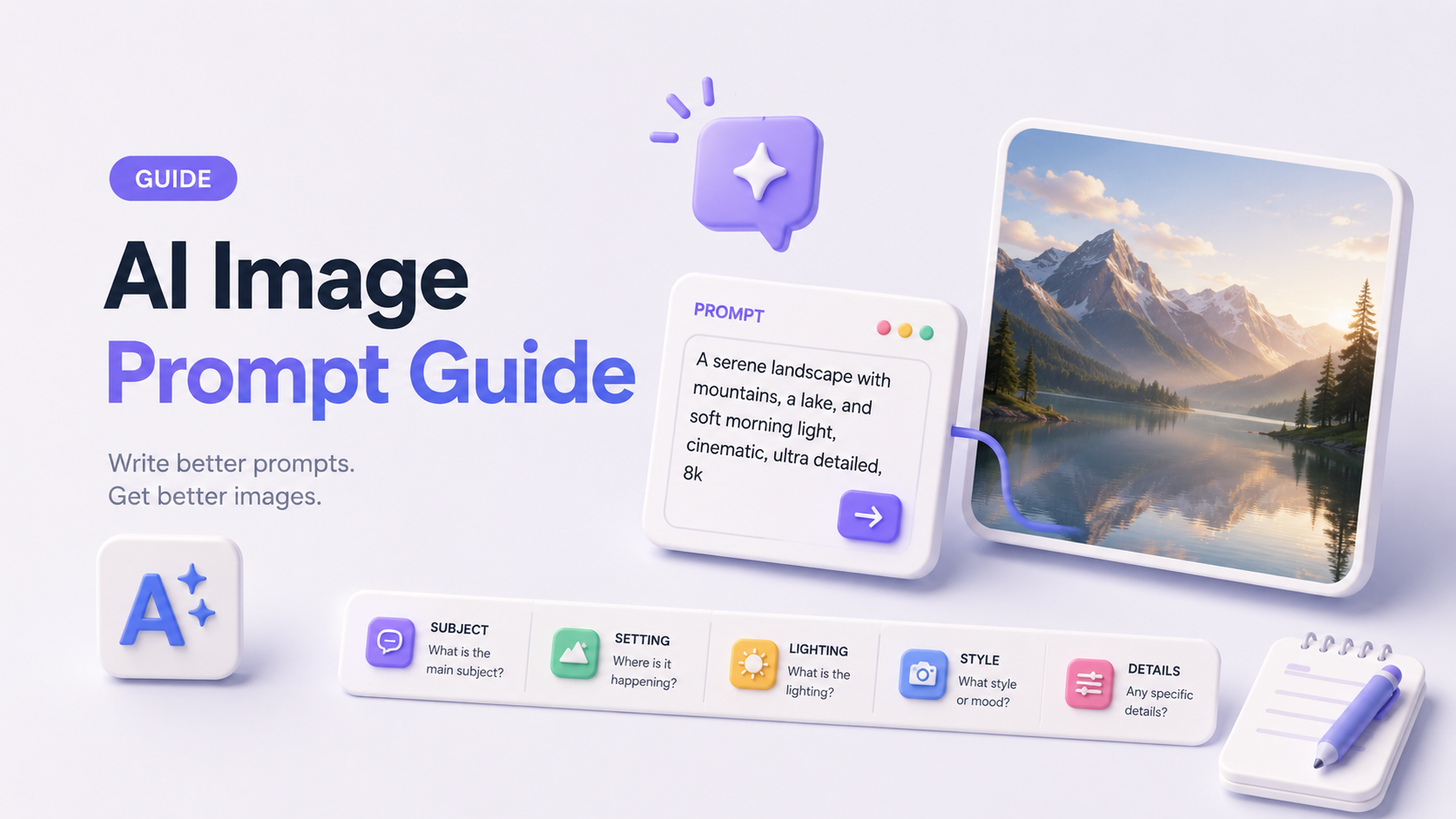
Most people who sit down to generate AI images with tools like Midjourney, ChatGPT, or Nano Banana type something like "a beautiful landscape at sunset" — and then wonder why the output looks generic, inconsistent, or nothing like what they envisioned. The uncomfortable truth is that approximately 90% of users treat AI image generation like a search engine query, when it actually functions more like a conversation with a highly skilled but extremely literal-minded visual artist who needs precise direction across multiple creative dimensions simultaneously.
This guide exists to close that gap permanently. Inside, you'll find a systematic, research-backed formula for image prompting that takes you from writing weak, vague image prompts to generating publication-quality visuals with confidence and repeatability. We'll cover the mechanics of prompting across the industry's leading platforms — including Midjourney, DALL-E 3 & GPT Image, Stable Diffusion, Nano Banana, and Seedance 2.0 — and we'll show you how to reverse-engineer existing visuals through image to prompt techniques that unlock an entirely new creative workflow.
What Is an AI Image Prompt?
An AI image prompt is the natural language instruction, or structured combination of text, parameters, and reference signals, that you provide to a generative AI model to direct the visual output it produces. While that definition sounds straightforward, the execution is where the overwhelming majority of users stumble, and understanding the mechanism behind why prompts succeed or fail is the foundation of everything else in this guide.
The Difference Between a Vague Image Prompt and a Precise One
Vague image prompts fail for a specific, technical reason: generative AI models trained on billions of image-text pairs have learned to associate loose descriptors with statistically average representations of those concepts. When you write "a woman in a city," the model defaults to the most probable interpretation of those three words, which tends to be a mid-shot of an anonymous woman standing on a nondescript urban street in flat, ambient lighting with no particular mood, era, or artistic intent. The model isn't making a creative judgment; it's making a probabilistic one.
A precise image prompt, by contrast, narrows the model's probability distribution by providing anchors across multiple creative dimensions at once. Instead of asking for "a woman in a city," you specify her environment, the time of day, the lighting quality, the photographic style, the color palette, the emotional register, and the camera angle, and suddenly the model has a much tighter creative space to work within, which produces results that feel intentional, stylized, and unique.
The difference isn't just aesthetic. For commercial applications, for example, product photography, ad creatives, branded content, editorial illustration, the gap between a vague and a precise image prompt translates directly into hours of iteration time and hundreds of dollars in wasted generation credits.
How AI Models "Read" Your Image Prompt?
Different AI image generation systems process prompts through different architectures, but most modern models — including those using CLIP-based text encoders, T5 transformers, or multimodal language models — parse your image prompt by breaking it into semantic tokens and weighting them according to their position, frequency, and contextual relationships within the text. This has several critical practical implications.
First, word order matters in most models. Elements placed earlier in your prompt — particularly in Midjourney and Stable Diffusion — tend to receive higher implicit weight during generation, meaning your primary subject should generally lead the prompt rather than appear buried in the middle.
Second, specificity compounds. Each additional dimension of detail you provide doesn't just add one more instruction; it multiplicatively constrains the output space, which is why a well-structured 50-word prompt will almost always outperform a 10-word prompt on the same subject.
Third, models have training biases. Stable Diffusion models trained on LAION datasets have heavy representation of certain photographic styles and art movements, which means certain stylistic descriptors will activate very strong learned associations. Understanding these biases — per platform — is part of writing effective prompts.
Quick Reference: Bad Prompt vs. Good Prompt
Scenario | Bad Image Prompt | Good Image Prompt |
Product Photography | "a sneaker on a white background" | "A single white leather sneaker on a seamless studio background, shot from a 45-degree angle, dramatic side lighting casting a soft shadow, ultra-sharp product photography, 8K, commercial grade, minimal composition" |
Portrait | "a woman looking thoughtful" | "A 30-year-old East Asian woman with short black hair, sitting by a rain-streaked café window, soft overcast natural light, shallow depth of field, muted teal and amber color palette, editorial portrait photography style, Fujifilm X100V aesthetic" |
Architecture | "a modern building" | "A brutalist concrete residential tower photographed from a low angle at golden hour, long shadows emphasizing geometric texture, slightly warm color grade, architectural photography, Sony A7R IV aesthetic, ultra-wide 16mm lens perspective" |
The 6-Part Formula for Image Prompting (Step-by-Step)
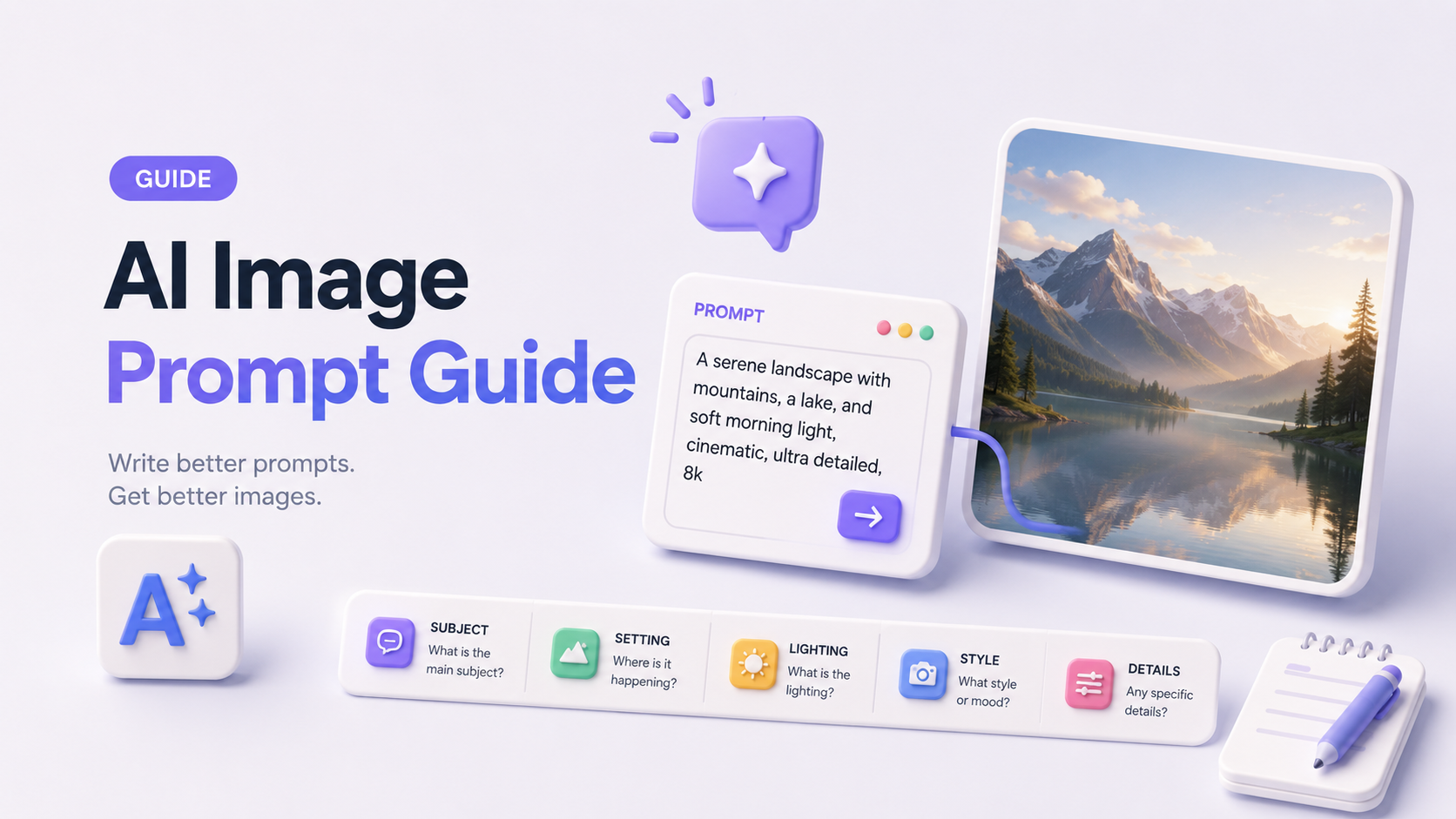
This is the structural core of the entire guide, and it's the framework that separates iterative, intentional image prompt writers from people who generate the same mediocre outputs on repeat. The formula for image prompting presented below is derived from analyzing hundreds of successful prompts across Midjourney, DALL-E 3, Stable Diffusion, and the emerging generation of multimodal models. It is not arbitrary — each of the six parts maps to a distinct axis of visual decision-making that human photographers, illustrators, and art directors use professionally.
The Core Formula: [Subject] + [Style & Medium] + [Lighting & Mood] + [Composition & Camera Angle] + [Color Palette] + [Quality Modifiers]
Part 1 — Subject
The subject is the non-negotiable foundation of any image prompt. It answers the most basic question: what is this picture of? But effective subject description goes far beyond naming a noun. You need to specify the subject's characteristics (age, gender, species, material, condition, state of action), its relationship to the environment (foreground, background, isolated, embedded in context), and any narrative or emotional information it should convey.
Example Image Prompts:
- "A weathered male lighthouse keeper in his 60s, wearing a heavy wool coat and rain-soaked captain's hat, standing at the edge of a sea cliff during a storm, gripping an iron railing with both hands, expression of calm determination"
- "A translucent glass perfume bottle shaped like an abstract geometric prism, sitting on a marble surface, droplets of water condensation on the exterior glass"
Part 2 — Style & Medium
Style and medium tell the model how to render the subject — whether as a photograph, oil painting, vector illustration, 3D render, watercolor, charcoal sketch, cinematic still, or dozens of other visual modes. Being specific about artistic movements (Art Deco, Bauhaus, Ukiyo-e), named artists (in models where this is permitted), or specific media types dramatically shifts the output's aesthetic register.
Example Image Prompts:
- "Rendered in the style of a 1970s Soviet propaganda poster — bold flat color fields, strong geometric composition, heavy sans-serif typography integrated into the background design"
- "Photorealistic 3D render with subsurface scattering on skin, ray-traced global illumination, Octane Render quality, cinematic depth of field"
Part 3 — Lighting & Mood
Lighting is arguably the single highest-leverage variable in visual output quality, and it is the one most consistently under-specified by beginners. Light defines texture, depth, emotion, and time of day — and generative models respond to lighting descriptors with remarkable precision when those descriptors are drawn from the vocabulary of professional photography and cinematography.
Example Image Prompts:
- "Lit by a single practical lamp casting warm amber light from camera left, deep shadows filling the right side of the frame, late-night intimate atmosphere, Rembrandt lighting ratio"
- "Overcast midday soft light, diffused shadows, slightly cool color temperature, clean and clinical mood appropriate for medical product photography"
Part 4 — Composition & Camera Angle
Composition instructions direct the model's spatial organization of visual elements, while camera angle descriptors activate learned associations with specific photographic and cinematographic conventions. Specifying whether the shot is a wide establishing frame, a close-up detail shot, a bird's-eye overhead, or a Dutch-angle tilt completely changes the emotional and informational content of the resulting image.
Example Image Prompts:
- "Rule-of-thirds composition with the subject positioned in the left third of the frame, negative space on the right filled with bokeh city lights, shot at eye level with a 85mm portrait lens"
- "Extreme low-angle upshot looking up at a skyscraper, converging vertical lines creating dramatic forced perspective, ultra-wide lens distortion, architectural photography"
Part 5 — Color Palette
Color palette instructions can reference specific hex codes (in some tools), named color systems (Pantone, RAL), emotional descriptors (muted, saturated, monochromatic), or cultural associations (Nordic minimal, Japanese wabi-sabi earth tones, neon cyberpunk). The model uses these cues to inform both the dominant hues and the tonal relationships across the entire image.
Example Image Prompts:
- "Desaturated color palette dominated by dusty sage green, warm ivory, and aged terracotta — the color language of Scandinavian interior design photography from the mid-2010s"
- "High-contrast cyberpunk palette — deep navy and black backgrounds with hot magenta and electric cyan neon light sources, heavy color bleed and chromatic aberration"
Part 6 — Quality Modifiers
Quality modifiers are the technical finishing instructions that tell the model what resolution, detail density, and output standard to target. While they don't override weak prompts in the other dimensions, they consistently push models toward higher-fidelity outputs when the rest of the prompt is already well-structured.
Example Image Prompts:
- "8K resolution, ultra-sharp, shot on Phase One IQ4 150MP, commercial photography quality, no grain, no artifacts"
- "Highly detailed digital painting, concept art quality, trending on ArtStation, rendered at print resolution"
Image to Prompt: How to Reverse-Engineer Any Visual?
The image to prompt workflow — sometimes called reverse prompting — addresses a fundamentally different creative problem than writing prompts from scratch. Instead of building a visual direction from an idea, image to prompt techniques start with an existing image and work backward to reconstruct the prompt language that would reproduce its aesthetic, composition, lighting, and style. For marketers, designers, and content creators, this capability is transformative.
What Does "Image to Prompt" Mean?
Image to prompt refers to the process of analyzing a finished visual — whether it's a photograph, illustration, ad creative, or AI-generated image — and extracting the descriptive elements that define it in terms that a generative AI model can understand and replicate. The output of this process is a prompt (or a structured prompt template) that, when fed into an AI image generator, produces outputs that share the visual DNA of the original image without copying it directly. This is categorically different from style transfer or image-to-image generation — image to prompt produces a language-level representation of the visual, which means it's portable across tools, editable, and scalable.
3 Methods to Convert Image to Prompt
Method 1: AI Tool Analysis (GPT-4o Vision and Similar Multimodal Models)
The fastest and most accessible approach to image to prompt conversion is to upload the target image directly into a multimodal AI model — such as GPT-4o, Claude 3.5 Sonnet, or Gemini — and ask it to analyze the visual in terms of the six-part formula outlined earlier in this guide. A well-constructed analysis request will yield a structured prompt you can immediately use in your generator of choice. To get the most useful output, ask the model specifically to describe subject, artistic style, lighting conditions, composition framing, color palette, and any quality characteristics it can identify. The more specific your analysis request, the more actionable the resulting image to prompt output.
Method 2: Manual Deconstruction — The 5-Dimension Framework
When you want more control over the reverse-engineering process — or when the visual is complex enough that AI analysis misses nuances — manual deconstruction is the more reliable approach. Working through five structured dimensions produces a prompt template that accurately captures the original visual's defining characteristics:
- Subject Inventory: List every significant visual element in the image — who or what is the primary subject, what is in the background, what relationship exists between foreground and background?
- Style & Medium Identification: Is this rendered as photography, illustration, 3D, or a hybrid? Can you identify a specific art movement, era, or named aesthetic style?
- Lighting Mapping: Where is the primary light source? What is its quality (hard, soft, diffused, directional)? What is the color temperature? Are there secondary fill lights or rim lights?
- Compositional Analysis: What framing convention is in use? Where is the subject positioned relative to the frame? What is the implied focal length? What perspective angle was used?
- Color & Tone Extraction: What are the three to five dominant colors? What is the overall tonal register (high-key, low-key, midtone-heavy)? Is the color treatment warm, cool, or neutral?
Reassembling these five dimensions into a coherent prompt sentence using the formula structure produces a highly replicable image to prompt result that you can refine and iterate on.
Method 3: Dedicated Image-to-Prompt Tools
Several purpose-built tools have been developed specifically for image to prompt conversion, and they occupy a useful middle ground between the speed of AI vision analysis and the precision of manual deconstruction. Tools worth integrating into your workflow include img2prompt (built on CLIP Interrogator), Stable Diffusion's built-in CLIP interrogation feature in Automatic1111, Midjourney's
/describe command, and emerging multimodal APIs that offer batch image analysis for enterprise use cases.Use Case: Replicating a Competitor's Ad Creative Style
One of the most commercially valuable applications of image to prompt methodology is competitive creative intelligence — specifically, the ability to analyze high-performing ad creatives from competitors or market leaders and extract the visual formula that makes them effective. Rather than guessing what makes a particular ad's lighting, color grading, or compositional style resonate with its audience, you apply the image to prompt framework to deconstruct it systematically, then use the resulting prompt template to produce original creatives in a similar aesthetic register that are nevertheless unique to your brand.
For marketers who need to scale creative production, tools like Navos Agent can analyze top-performing ad videos frame by frame and reverse-engineer their visual style into reusable image prompt templates, turning competitor intelligence into your creative advantage. In addition, Navos Agent has integrated with leading image-generation models on the market, such as Seedance 2.0, GPT Image 2.0, and Nano Banana Pro. This means that not only can you analyze the performance of your competitors’ ad creatives on Navos, but you can also leverage state-of-the-art image generation models to deconstruct the prompt elements of high-performing creatives and generate marketing materials that align with your brand’s style. This systematic visual analysis, combined with actual ad performance data, represents a creative workflow that is fundamentally different from simply writing prompts by hand.
Platform-Specific Image Prompt Tips
The formula for image prompting described in this guide is platform-agnostic in its conceptual structure, but each major AI image generation platform has its own syntax conventions, parameter systems, and model biases that affect how you should format and phrase your image prompts in practice.
Midjourney Image Prompt Syntax
Midjourney uses a structured parameter system appended to the end of your prompt text. The most important parameters for advanced users include
--ar (aspect ratio, e.g., --ar 16:9 for widescreen or --ar 9:16 for vertical mobile formats), --v 6 (specifying the model version), --stylize (controlling how strongly Midjourney applies its aesthetic interpretation), --chaos (introducing variation), and --no (functioning as a basic negative prompt). Midjourney responds particularly well to photographic and artistic style descriptors, named artists in certain contexts, and cinematic lighting vocabulary. Word order is meaningful in Midjourney — place your most critical subject and style elements at the beginning of the prompt before adding compositional and quality details.Example:
"A lone Arctic explorer standing on a vast frozen tundra, dramatic low-angle shot, golden hour sidelighting, Ansel Adams landscape photography style, deep desaturated blues and warm amber highlights --ar 16:9 --v 6 --stylize 750"
DALL-E 3 & GPT Image — Conversational Prompt Style
ChatGPT's native image generation capability, powered by GPT Image (gpt-image-1), combines DALL-E's image synthesis with GPT-4o's conversational understanding, creating a system that is particularly adept at following multi-step, iterative creative direction. It was specifically designed to respond to conversational, natural-language image prompts rather than keyword-dense instructions. DALL-E 3 actually processes and sometimes rewrites your prompt internally before generation, which means extremely technical or keyword-heavy prompts can sometimes be interpreted differently than intended. The best approach with DALL-E 3 is to write in full, grammatically coherent sentences that describe the image as though you were giving direction to a photographer. It handles complex scene descriptions, multiple subjects with specific relationships, and text-within-image generation better than most competing models.
Example:
"Create a photorealistic product photograph of a minimalist ceramic coffee mug in off-white, sitting on a dark walnut wood surface in the corner of a sunlit café. Morning light comes through a window from the left, casting a long warm shadow to the right. The composition is a close-up, shot from slightly above and to the side, with shallow depth of field blurring the background into warm amber tones."
Stable Diffusion — Positive/Negative Prompt Structure
Stable Diffusion's most distinctive structural feature is the explicit separation of image prompts into positive prompts (what you want to appear) and negative prompts (what you want the model to suppress or exclude). Negative prompting is extraordinarily powerful for quality control — standard negative prompt strings often include terms like "blurry, low quality, watermark, deformed hands, extra limbs, artifacts, noise, overexposed, flat lighting" — and neglecting the negative prompt is one of the most common reasons Stable Diffusion outputs fall short of their potential. Stable Diffusion also supports bracket-based prompt weighting syntax, where
(term:1.5) increases the model's emphasis on that element, and [term:0.5] reduces it.Nano Banana
Nano Banana, Google's compact yet capable image-generation model in the Gemini ecosystem, is optimized for on-device and lightweight deployment scenarios while retaining strong instruction-following for structured image prompts. It performs best with clear, concise directional language and responds well to prompts that prioritize compositional clarity over stylistic complexity. For creators building mobile-first or real-time generation workflows, Gemini Nano Banana's efficiency-to-quality ratio makes it a compelling option, particularly when combined with Gemini's multimodal context window for image to prompt analysis tasks within the same session.
ByteDance Seedance
Seedance, developed by ByteDance, is a generative AI model with particular strength in Asian aesthetic styles, character-driven compositions, and social media-native visual formats. It has strong built-in training signal for anime, webtoon, fashion editorial, and lifestyle product photography styles that align with TikTok and Douyin creative conventions. When writing image prompts for Seedance, including explicit references to visual aesthetics familiar from East Asian social media contexts tends to produce more precise results than using Western photographic or fine art terminology alone.
Platform Comparison: Image Prompt Writing Differences
Platform | Prompt Style | Negative Prompts | Parameter Syntax | Strengths |
Midjourney | Keyword-dense, stylistic | --no [term] | --ar --v --stylize | Artistic quality, aesthetic coherence |
DALL-E 3 & GPT Image | Dialogue-based iterative | Not supported natively | Natural language iteration | Text rendering, scene complexity |
Stable Diffusion | Positive + explicit negative | Separate negative field | (term:weight) bracket syntax | Customization, negative control |
Gemini Nano Banana | Concise, directive | Minimal | Conversational + structured | Speed, on-device efficiency |
Doubao Seedance | Stylistic + cultural | Moderate support | Platform-native parameters | Asian aesthetics, social media formats |
20+ Ready-to-Use Image Prompt Templates
The templates in this section are organized by commercial and creative use case, and each is structured according to the six-part formula for image prompting described earlier. These are production-ready image prompts that you can use immediately across platforms or adapt to your specific brand needs.
🛒 E-Commerce Product Shots
Template 1 — Clean Studio Product Shot:
"A single minimalist skincare serum bottle in frosted glass with a gold dropper cap, centered on a seamless white marble surface, lit by a softbox from upper left casting a subtle gradient shadow, straight-on hero shot composition, cool neutral color palette with warm gold accents, ultra-sharp commercial product photography, 8K"
Template 2 — Lifestyle Context Product:
"A premium leather wallet placed naturally on a dark wood desk beside a glass of whiskey and a vintage wristwatch, warm ambient evening light from a practical desk lamp, shallow depth of field with the wallet in sharp focus, muted brown and amber color palette, editorial men's lifestyle photography aesthetic"
Template 3 — Floating Product with Shadow:
"A sleek wireless noise-canceling headphone floating against a pure matte black background, subtle downward cast shadow suggesting levitation, dramatic rim lighting from both sides creating a metallic highlight on the ear cup curves, symmetrical centered composition, deep black and silver color palette, high-end consumer electronics commercial photography"
📱 Social Media & Ad Creatives
Template 1 — TikTok/Reels Vertical Format:
"A young woman in her mid-20s holding up a vibrant green smoothie toward the camera with a natural, candid smile, standing in a sun-drenched modern kitchen, overhead morning light creating soft shadows, close-crop vertical composition optimized for 9:16 aspect ratio, fresh and energetic color palette of bright greens and warm whites, lifestyle content creator photography aesthetic"
Template 2 — Meta Feed Ad — Fashion:
"A fashion editorial shot of a woman in a tailored camel-colored blazer walking confidently through an empty Parisian street on a misty autumn morning, full-length shot from a slight low angle, cool foggy atmosphere with warm coat color as the single point of contrast, desaturated earth tone color palette, editorial fashion photography in the style of a Vogue Paris spread"
Template 3 — Google Display — Tech Product:
"An isometric 3D render of a sleek AI-powered laptop floating at a 45-degree angle against a deep midnight blue gradient background, subtle geometric grid lines in the background suggesting a digital environment, cool blue and white color palette with a single electric cyan accent highlight, clean tech advertisement aesthetic, high-quality 3D product visualization"
Template 4 — Brand Story — Human-Centric:
"A diverse team of four professionals collaborating around a glass conference table covered with design mockups and laptops, photographed from a high crane angle looking directly down, natural daylight from floor-to-ceiling windows, vibrant and energetic workplace atmosphere, warm and inclusive color palette, corporate brand photography with documentary-style candid energy"
Creating ad visuals at scale requires more than good templates — it requires a systematic approach to testing and iteration. Navos Agent helps marketers generate, test, and iterate on AI-powered image prompts for TikTok, Meta, and Google ads — directly connected to your ad account performance data, so you know which visual style actually converts rather than guessing based on aesthetic preference alone.
🎮 Gaming & Entertainment
Template 1 — Fantasy Character Portrait:
"A battle-worn elven ranger in intricately detailed silver armor engraved with forest motifs, standing in the entrance of an ancient stone temple at dusk, dramatic backlit sunset casting a golden halo through the doorway, volumetric fog at ground level, low-angle heroic portrait composition, deep jewel tone color palette of emerald and gold, hyper-detailed concept art, Artstation quality"
Template 2 — Sci-Fi Environment:
"A vast alien megacity on a distant exoplanet viewed from a glass observation deck, twin moons visible in a deep violet and magenta sky, bioluminescent towers stretching into low cloud cover, foreground reflection of the cityscape in a polished obsidian floor, ultra-wide establishing shot composition, neon purple and teal color palette, cinematic science fiction illustration quality"
Template 3 — Game UI/Menu Background:
"A dark fantasy dungeon scene rendered as a stylized 2.5D background suitable for a mobile RPG main menu, torchlight illuminating ancient stone walls covered in glowing runes, dramatic shadows and atmospheric fog, centered hero perspective composition, rich dark red and gold color palette with glowing teal accent, polished mobile game art direction"
🏠 Lifestyle & Home Decor
Template 1 — Interior Design Hero Shot:
"A serene Japandi living room interior with a low-profile oak sofa in cream bouclé fabric, a single ceramic sculptural vase on a stone coffee table, and floor-to-ceiling shoji screen windows filtering diffused morning light, wide-angle perspective shot from a seated eye level, neutral warm color palette of ivory, warm oak, and soft sage, architectural interior photography, Dezeen editorial quality"
Template 2 — Outdoor Living Space:
"A sun-drenched Mediterranean terrace with terracotta tiles, a rustic linen-draped outdoor dining table set for six, cascading bougainvillea in deep magenta climbing a whitewashed stone wall, late afternoon golden hour side lighting, medium-wide shot capturing the full table setting and background architecture, warm terracotta and white color palette with magenta accents, luxury lifestyle travel magazine photography"
Template 3 — Flat Lay Styling:
"A carefully styled flat lay of a morning wellness ritual — a white ceramic mug of matcha, a folded linen journal, a sprig of fresh eucalyptus, and a rose quartz face roller arranged on a textured cream linen surface, directly overhead shot with soft diffused natural light, no shadows, monochromatic cream and green palette with single blush accent, Instagram lifestyle flat lay photography"
Template 4 — Kitchen & Food Styling:
"A rustic farmhouse kitchen scene with fresh sourdough loaves on a worn wooden cutting board, beside a small jar of amber honey and scattered whole walnuts, morning window light from the right creating a warm golden glow across the textured bread crust, close-up medium shot composition, warm golden brown and cream color palette, editorial food photography with a handcrafted authenticity aesthetic"
🎨 Abstract & Artistic
Template 1 — Geometric Abstract:
"A large-scale abstract composition built from interlocking geometric forms — overlapping circles, triangles, and rectangles — rendered in gouache with visible brushwork texture, muted earth tone palette of ochre, burnt sienna, dusty rose, and deep navy, flat lay perspective as if photographing a physical painting, contemporary graphic art aesthetic inspired by mid-century modernism"
Template 2 — Fluid Art:
"A macro photograph of an ink drop dispersing in water, captured at the moment of maximum fluid complexity, deep black ink bleeding into pure clear water, dramatic spotlight illumination from directly above, perfectly centered composition with symmetrical ink dispersion, monochromatic black and white with deep ink blue tones, ultra-high-speed macro photography quality"
Template 3 — Typographic Art:
"A three-dimensional typographic sculpture of the word 'DREAM' rendered in hand-sculpted white clay letters with visible fingerprint textures and subtle imperfections, photographed on a pure white seamless surface with extremely soft top lighting creating minimal shadow, clean centered composition, monochromatic white-on-white palette relying entirely on texture for visual interest, fine art sculpture photography"
📊 Data Visualization & Infographic Style
Template 1 — Tech Infographic Background:
"A clean, dark-mode data dashboard background illustration showing abstract network nodes connected by thin glowing lines, subtle hexagonal grid overlay, soft glow effects on the node points, no legible text, designed for use as a tech presentation background, deep navy and charcoal color palette with electric blue and soft white node highlights, professional tech design aesthetic"
Template 2 — Business Report Visual:
"An isometric flat-design illustration of a business analytics concept — small human figures interacting with oversized floating bar charts and pie graphs, a clean white background, sharp vector-style rendering with subtle drop shadows, bright primary color palette of coral, royal blue, and golden yellow on white, corporate infographic illustration style suitable for business editorial"
Template 3 — Social Proof / Statistics Visual:
"A modern editorial infographic layout design (image only, no actual data) featuring bold geometric shapes — circles, horizontal bars, and dot matrices — arranged in a clean grid, designed to hold statistics, high-contrast two-tone color palette of deep forest green and warm white, professional editorial design aesthetic, flat vector illustration quality”
Common Mistakes in AI Image Prompting
Understanding the structural errors that weaken image prompts is as important as knowing the formula for building strong ones. These four mistakes appear consistently across beginner and intermediate users.
1. Being Too Abstract — No Visual Anchor
The problem: Writing prompts that describe emotional concepts without providing any concrete visual information gives the model nothing to anchor its interpretation. "A feeling of melancholy" or "the essence of creativity" are not image prompts — they are philosophical abstractions that the model will interpret with maximum ambiguity.
Before: "A sense of longing and nostalgia"
After: "A middle-aged man sitting alone at a worn kitchen table in a dimly lit house, turning a faded photograph in his hands, a single bare bulb casting warm light on his weathered face, 1970s home interior environment, desaturated amber and brown color palette, documentary photography style"
2. Overloading the Prompt with Conflicting Styles
The problem: Attempting to combine multiple incompatible stylistic references in a single image prompt — for example, mixing "photorealistic photography" with "anime style" with "watercolor illustration" — creates internal contradictions that the model resolves by producing a confused, aesthetically incoherent compromise.
Before: "A photorealistic anime watercolor illustration of a warrior"
After: "A digital illustration of a warrior in the stylized character design tradition of contemporary Korean webtoon — clean linework, cel-shaded coloring, strong graphic silhouette, no photorealistic elements"
3. Ignoring Negative Prompts in Stable Diffusion
The problem: Failing to include a negative prompt in Stable Diffusion consistently produces outputs with the model's most common artifact patterns — anatomically incorrect hands, blurry backgrounds where sharpness was requested, unwanted watermarks, and quality degradation artifacts.
Before (no negative prompt): "A portrait of a woman looking to the side"
After (with negative prompt): Positive: "A portrait of a woman looking to the side, sharp focus, cinematic lighting" | Negative: "blurry, deformed, extra limbs, bad anatomy, watermark, low quality, noise, overexposed, flat lighting, ugly, duplicate, text"
4. Not Specifying Aspect Ratio or Output Resolution
The problem: Generating images without specifying aspect ratio produces square outputs by default in most platforms, which are completely unsuitable for use cases like social media stories (9:16), widescreen presentations (16:9), or horizontal print materials (3:2). Retrofitting the wrong aspect ratio through cropping destroys composition.
Before: "A landscape photograph of mountain peaks"
After: "A landscape photograph of snow-capped mountain peaks at dawn --ar 16:9" (Midjourney) or specify widescreen format explicitly in the prompt for DALL-E 3.
Advanced Image Prompting Techniques for Power Users
1. Prompt Weighting and Emphasis
In Stable Diffusion and some other platforms, bracket-based weighting syntax allows you to amplify or attenuate the model's attention on specific terms within your image prompt. The syntax
(golden hour lighting:1.4) instructs the model to weight that element 40% more strongly than neutral, while [background:0.6] reduces emphasis on background detail. This is particularly useful when you need to resolve conflicts between a detailed foreground subject and a complex background — explicitly de-emphasizing the background prevents it from competing visually with the primary subject.2. Chaining Prompts for Iterative Refinement
Rather than attempting to write a perfect prompt in a single pass, professional-level image prompt workflows use a chaining methodology — starting with a strong structural foundation that establishes the core subject and style, evaluating the output, and then writing a refined follow-up prompt that preserves what's working and corrects what isn't. In platforms like ChatGPT Image and DALL-E 3, this iterative dialogue is native to the interface. In Midjourney, it's achieved through the
--seed parameter (which locks the random noise seed for consistency) combined with /vary or written prompt adjustments.3. Using Image to Prompt as a Feedback Loop — Iterate Faster
One of the most powerful advanced workflows combines generation and image to prompt analysis into a systematic feedback loop. The process works as follows: generate an image using your initial prompt, feed that output back into an AI vision model for image to prompt analysis, compare the analysis with your original prompt to identify what the model interpreted differently than you intended, and use that gap analysis to write a more precise second-generation prompt. This loop — prompt → generate → analyze → refine → repeat — is how professional prompt engineers consistently achieve exceptional results across five or fewer iterations rather than dozens.
4. Building a Personal Image Prompt Library
Systematic image prompt development at scale requires building a curated, searchable library of proven prompt components — subject descriptions, style modifiers, lighting descriptors, color palette definitions, and quality modifier strings that have produced reliable results in past sessions. Organizing these components in a structured document or prompt management tool allows you to assemble new image prompts rapidly by combining proven elements rather than writing from scratch each time. Over time, this library becomes a competitive asset that captures your brand's visual intelligence in prompt form.
Frequently Asked Questions
1. What is the best formula for image prompting?
The most reliable formula for image prompting follows a six-part structure: [Subject] + [Style & Medium] + [Lighting & Mood] + [Composition & Camera Angle] + [Color Palette] + [Quality Modifiers]. This structure maps directly to the decision-making framework used by professional photographers, directors, and art directors, which is why it produces consistently more intentional results than unstructured keyword lists or conversational descriptions alone. Applying all six components — even with simple values in each field — dramatically outperforms prompts that address only two or three dimensions.
2. How do I convert an image to prompt?
Converting an image to prompt can be accomplished through three primary methods: using a multimodal AI model like GPT-4o to analyze and describe the image in prompt-compatible terms; manually deconstructing the image across five dimensions (subject, style, lighting, composition, and color palette) and assembling those observations into a structured prompt; or using dedicated image to prompt tools such as Midjourney's
/describe command or Stable Diffusion's CLIP Interrogator. For commercial applications — particularly ad creative analysis — purpose-built tools that integrate image to prompt analysis with campaign performance data offer the highest practical value.3. What makes a good AI image prompt?
A good AI image prompt provides specific, non-conflicting direction across multiple visual dimensions simultaneously — it tells the model what to depict (subject), how to render it (style and medium), where the light comes from and at what quality (lighting and mood), how the frame is organized (composition and camera angle), what colors dominate the palette, and what quality standard the output should meet. Good image prompts use concrete, professional vocabulary drawn from photography, cinematography, and art direction rather than vague emotional or aesthetic descriptors. They avoid internal contradictions and provide enough specificity to meaningfully constrain the model's probability distribution without over-prescribing details that conflict with each other.
4. Can I use the same image prompt across different AI tools?
The core conceptual content of an image prompt — the subject description, style reference, lighting direction, and composition intent — transfers reasonably well across platforms, but the syntax and formatting needs to be adapted per platform. A Midjourney image prompt with appended
--ar 16:9 --v 6 parameters will need to be rewritten as a conversational sentence for DALL-E 3, and a Stable Diffusion prompt with explicit negative prompt fields won't map directly onto Midjourney's --no parameter system. Building platform-specific versions from a shared conceptual foundation is the most efficient approach for multi-platform workflows.5. How long should an image prompt be?
There is no single universally optimal length for an image prompt, but most experienced practitioners find that 50–150 words provides enough specificity to meaningfully direct the model without exceeding the model's effective context window for image generation. Very short prompts (under 20 words) almost always under-specify the key creative dimensions, while extremely long prompts (over 200 words) sometimes cause models to prioritize earlier elements and partially ignore later ones. The practical guideline is to include at least one meaningful descriptor in each of the six formula dimensions, and to favor precision over volume — one specific lighting descriptor is worth more than five vague stylistic adjectives.
6. What are the most common image prompt mistakes?
The four most damaging mistakes in image prompt writing are: (1) using abstract emotional language without concrete visual anchors — describing feelings rather than scenes; (2) combining incompatible stylistic references that give the model contradictory rendering instructions; (3) omitting negative prompts in Stable Diffusion workflows, which allows the model's default artifact patterns to appear unchecked; and (4) failing to specify aspect ratio before generating, which produces outputs in the wrong format for the intended use case. All four mistakes are entirely preventable through systematic application of the six-part formula described in this guide.
Conclusion
Every visual you've struggled to generate with AI — the product shot that came out wrong, the ad creative that missed the aesthetic mark, the illustration that looked generic despite your best efforts — was almost certainly the result of an image prompt that addressed only one or two of the six creative dimensions that generative AI models need to produce precise, intentional visual output.
The six-part formula for image prompting presented in this guide — Subject + Style & Medium + Lighting & Mood + Composition & Camera Angle + Color Palette + Quality Modifiers — is the systematic framework that closes the gap between what you envision and what your AI tools produce. Combined with image to prompt reverse-engineering techniques for analyzing existing visuals, platform-specific syntax knowledge for Midjourney, DALL-E 3, Stable Diffusion, ChatGPT Image, Gemini Nano Banana, and Doubao Seedance, and the library of production-ready templates provided in this guide, you now have everything you need to operate at a professional level of AI image production.
The next step is practice, iteration, and system-building — developing a personal image prompt library, applying the feedback loop methodology to refine your outputs over successive generations, and building workflow integrations that connect your prompting practice to real creative and commercial outcomes.
If you're a marketer or creative team looking to put this formula for image prompting into practice at scale, Navos Agent offers an AI-native workspace that connects image prompt generation with real ad campaign workflows — from creative ideation and visual style analysis all the way through to performance measurement. Rather than treating AI image generation as an isolated creative experiment, Navos Agent integrates it into the full commercial creative process, so that every prompting decision is informed by what actually performs in market. Try it free and discover how systematic AI-powered prompting can permanently transform both the quality and velocity of your creative output.